




English
  • 初心者向け
  • ヘルプ
  • 業界情報
  • セミナー
  • 公式SNS
セラースプライト・オンライン無料セミナー開催中!
詳しく
QRコードを読み取って無料でお申し込む
  • 优麦云 广告投放

    比亚马逊后台更好用的广告工具

  • 优麦云 店铺管理

    经营分析报表、差评和跟卖监控等

  • 优麦云 小程序

    随时随地看店,每日定时推送

  • 优麦云 插件版

    分析广告位、提升关键词排名等

优麦云 广告投放
优麦云的核心工具。一套完整的广告系统,拥有强大的广告
分析支持,比亚马逊后台更好用!
  • 网页版 + 小程序 双支持,随时随地调广告
  • 系统整合各维度广告报表,减少人工成本
  • 多维分析图表,超预算预警等,提升广告效益
  • 分时调竞价、预算、预算上限、广告位和启停
优麦云 店铺管理
专注于亚马逊店铺的日常运营,帮您深入分析经营状况,快速
找出运营漏洞,提升销售利润!
  • 跟踪分析实时出单,快速掌握店铺的近期销售变化
  • 商品 · 站点 · 品牌 · 退货四大维度,深入分析经营状况
  • 实时更新库存动态,系统预警快断货或冗余情况
  • 一键监控店铺产品,及时处理产品的差评和跟卖
优麦云 小程序
手机实时看店调广告,每日推送业绩通知,脱离电脑束缚,出门
看店两不误!

微信扫一扫 体验小程序

优麦云 插件版
一款强大的广告运营插件,安装无IP限制,能精准提升关键词
排名,优化关联流量,定位广告来源等!
  • 高效跟踪关键词排名,分析排名表现,周围竞品数据
  • 透视分析关联流量来源,了解关联广告投放效果
  • 动态稳步提升关键词竞价,精准推词,卡位进首页
  • 10+ 清晰了解自己前台的广告位,来源于后台的哪个广告组
  • 知识库
  • 快速入门
  • 视频课堂
  • 功能手册
  • 运营干货
  • 客服咨询
  • 达人招募
精灵知识库,伴你成长路

刚来卖家精灵不知如何上手?新人做亚马逊如何从0开始打怪?
来精灵知识库,解决你对亚马逊 & 卖家精灵95%以上的疑问

大咖课堂
直播时间: 每周二 晚19:30
往期直播回放
扫码发送“直播”免费报名
卖家精灵实战课堂
直播时间: 每周四 晚19:30
往期直播回放
 扫码免费报名周四直播
达人招募——诚邀您与卖家精灵一起探索无限可能

让每一次合作都成为行业的焦点,让每一次分享都激发市场的活力

Function Manual

PricePal: Compare Identical Product Sales Quick Start Guide

2025/10/15 Read Count (487) Comment Count (0)

PricePal is a free browser extension by SellerSprite that helps Amazon sellers and e-commerce users quickly verify how a product performs on Amazon. By matching product images, it connects supplier listings on 1688 or Alibaba with their identical listings on Amazon US, showing real-time sales data in one click.


This guide explains what PricePal does, how to install it, how to use it, and provides practical tips for sourcing decisions.

1. What PricePal Does

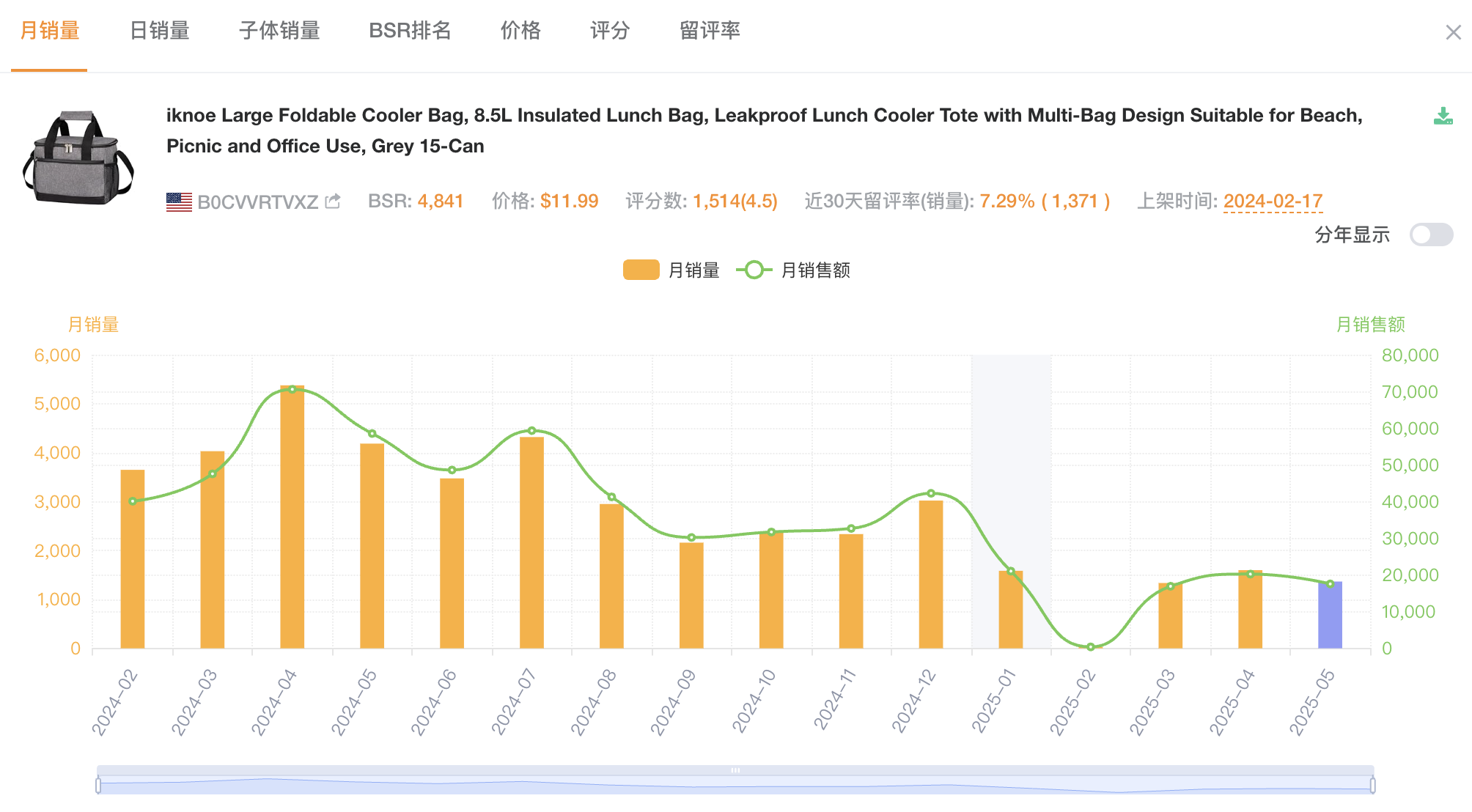
When browsing wholesale sites such as 1688 or Alibaba, you can use PricePal to see how well the same product sells on Amazon. The extension analyzes the main image on a supplier page, searches Amazon for identical or visually similar items, and shows their estimated sales volume and selling price.

Key Features

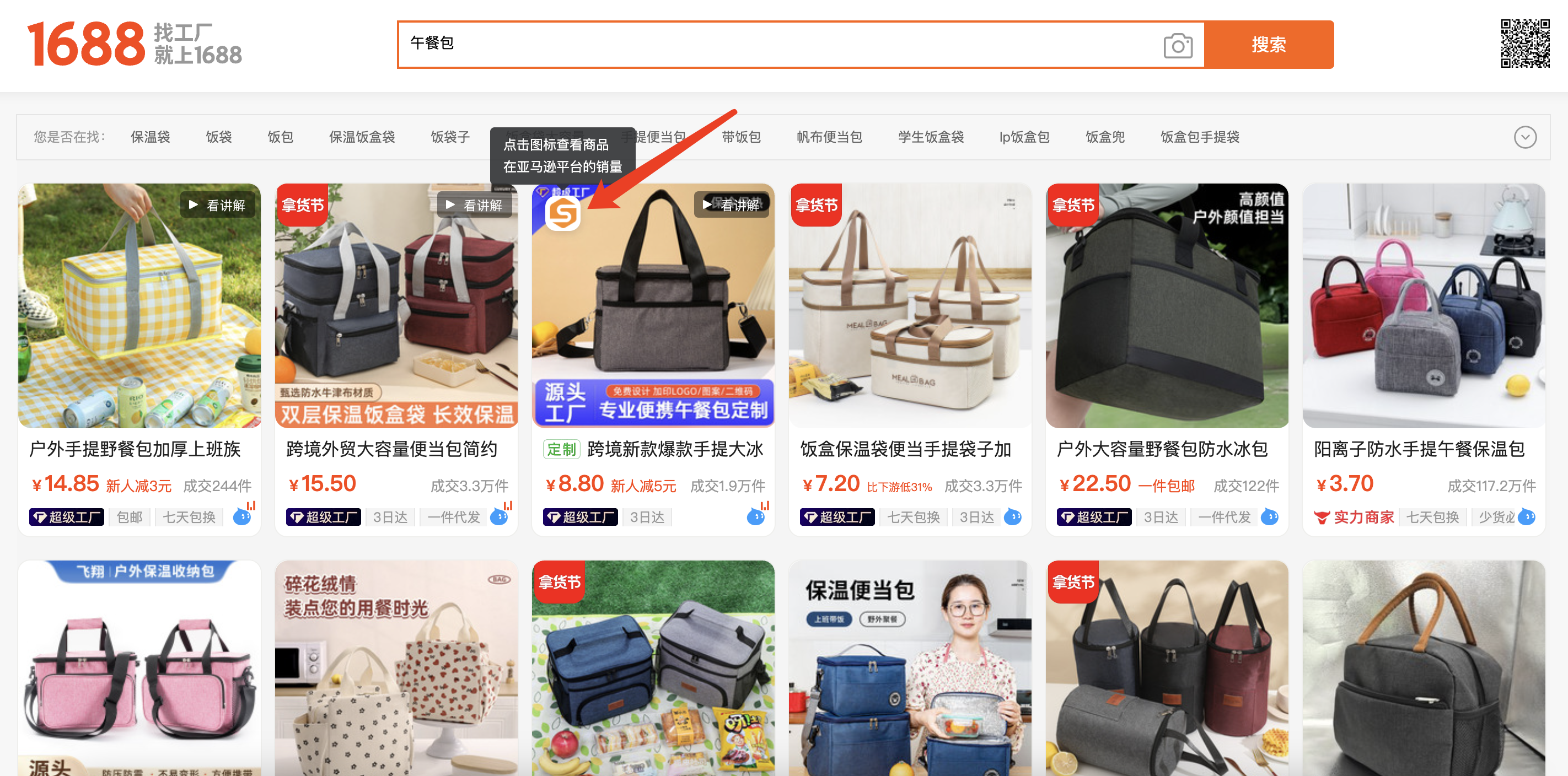
  • One-click image matching: Click the PricePal icon on any product image to view its Amazon performance.
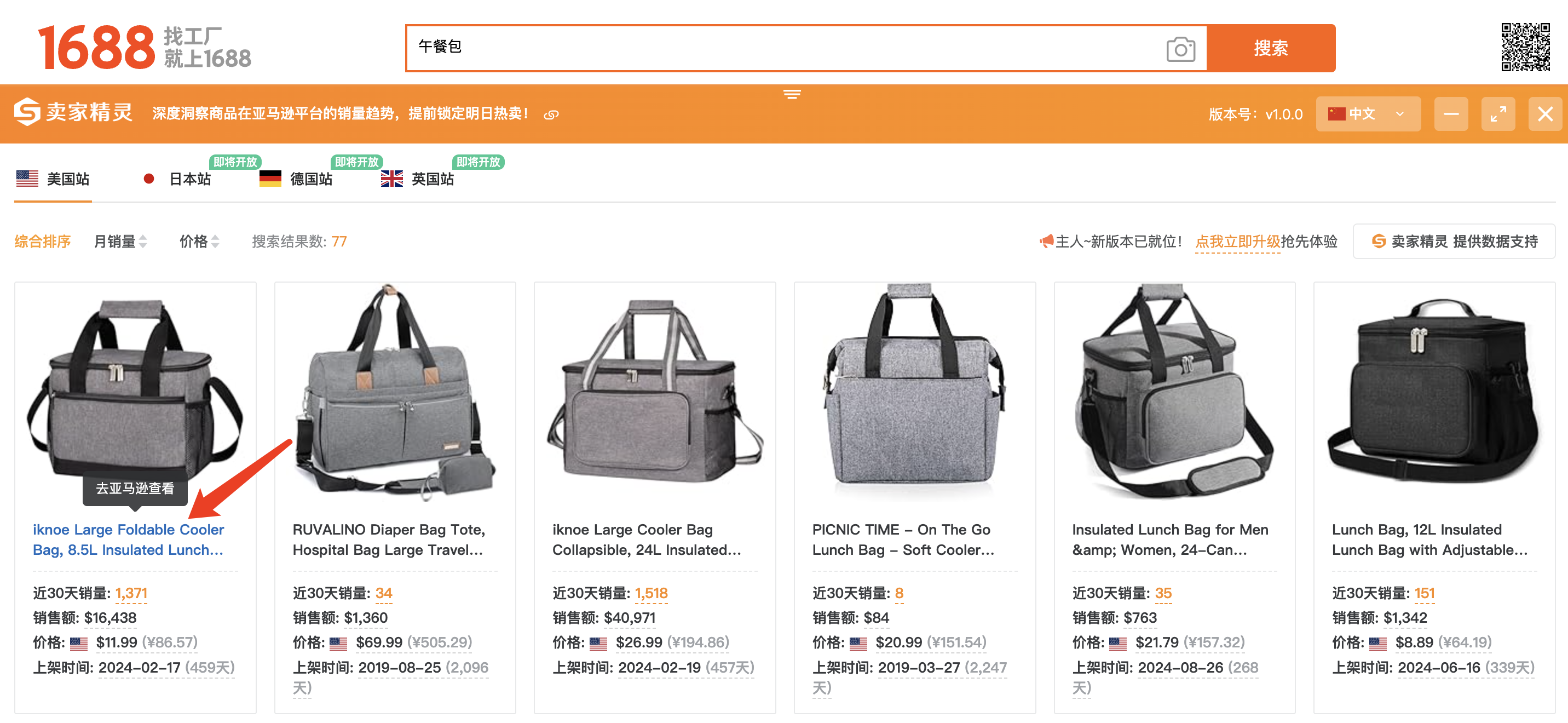
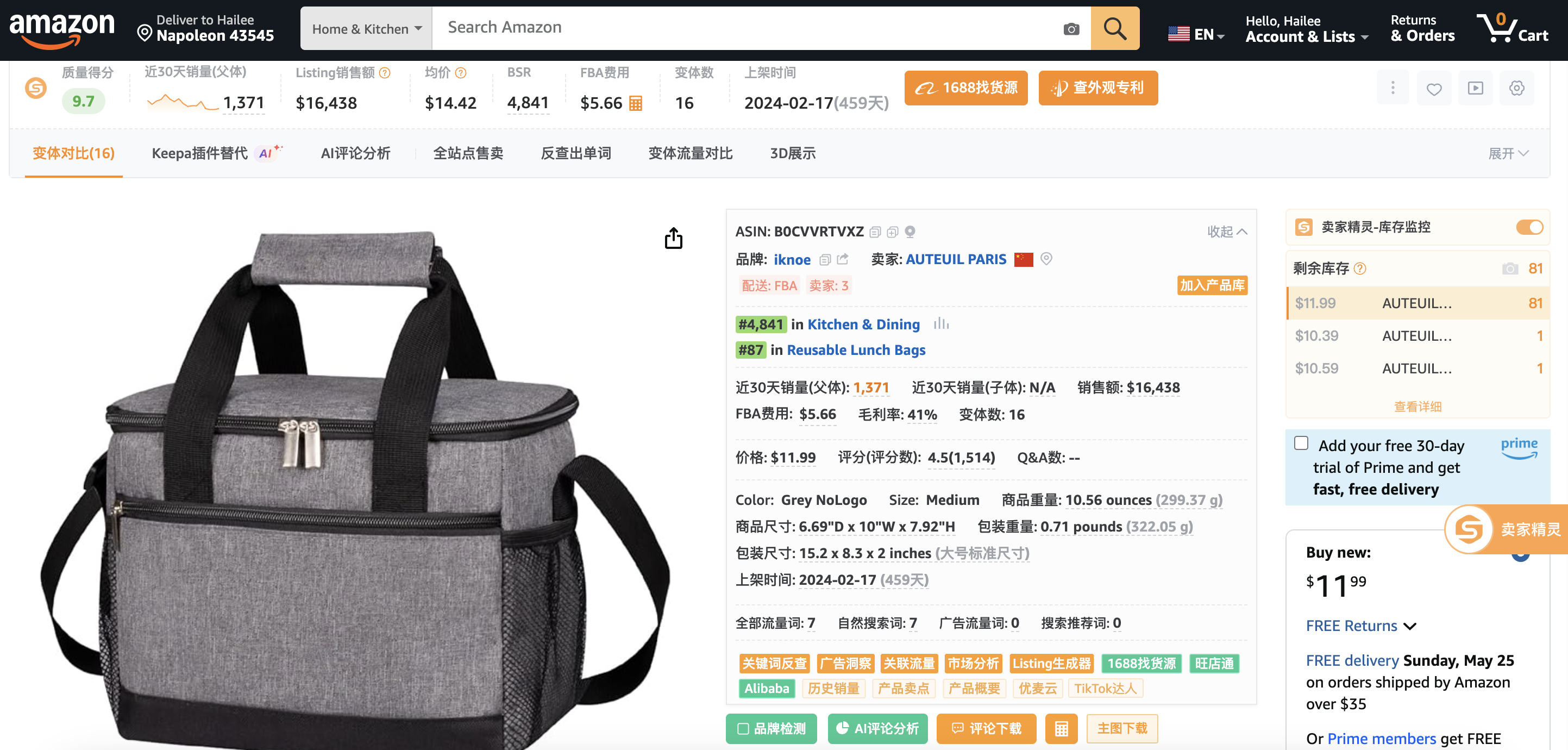
  • Amazon sales insights: Displays estimated monthly sales, current Amazon price, and listing details for identical items.
  • Data accuracy: Figures are based on Amazon API data and updated daily, providing reliable sales estimates.
  • Instant comparison: Save hours of manual research by checking product demand directly while sourcing.
  • Cross-border utility: Ideal for Amazon sellers, online arbitrage users, or anyone comparing supplier and Amazon markets.

With PricePal, you can quickly determine whether a supplier product has high demand, stable pricing, and profit potential on Amazon before making sourcing decisions.

2. Supported Platforms and Requirements

  • Browsers: Supports Google Chrome and Microsoft Edge (Chromium version).
  • Websites: Works on 1688.com and Alibaba.com.
  • Marketplace data: Currently shows Amazon.com (US) sales. Support for other marketplaces is planned.
  • Devices: Desktop only. The extension does not support mobile browsers.

3. Installation Guide

Option A: Install from Chrome Web Store

  1. Open the Chrome Web Store and search for PricePal: Compare Identical Product Sales.
  2. Click Add to Chrome and confirm installation.
  3. Pin the PricePal icon to your toolbar.
  4. Log in to your SellerSprite account when prompted to enable full data access.

Option B: Install from Microsoft Edge Add-ons

  1. Visit the Edge Add-ons Store and search PricePal.
  2. Click Get and confirm installation.
  3. Pin the icon for quick access, then sign in with your SellerSprite account.

Option C: Manual Installation for Restricted Regions

  1. Download the .zip file.
  2. Unzip it to a local folder.
  3. Go to chrome://extensions/ or edge://extensions/.
  4. Enable Developer Mode, click Load unpacked, and select the unzipped folder.
  5. The PricePal icon will appear in your toolbar. Manual versions do not auto-update.


Ready to install PricePal?
Download the extension directly from the Chrome Web Store or Microsoft Edge Add-ons Store and start comparing identical product sales instantly.

4. How to Use PricePal

PricePal is designed for simplicity. You can check Amazon data directly while browsing supplier sites.

Step 1. Browse Products

Open 1688 or Alibaba and view a product page or search results. Hover your mouse over a product image.

Step 2. Activate PricePal

When the PricePal icon appears on the image, click it. The extension automatically searches Amazon for the same or similar product.


Step 3. View Sales Insights

A small pop-up window will display:

  • Estimated Monthly Sales on Amazon
  • Amazon Price
  • Listing title and ASIN link to open the product on Amazon
  • Review count or seller count if available

Step 4. Evaluate Results

  • Demand: Higher monthly sales indicate stronger market demand.
  • Profit Margin: Compare Amazon price after fees with supplier cost.
  • Competition: Many sellers or thousands of reviews may indicate a saturated market.
  • Listing Age: New products with good sales may represent emerging opportunities.

Step 5. Deep Dive Optional

Click the Amazon link in the pop-up to open the listing and explore Best Sellers Rank, customer reviews and feedback, and pricing strategy and variations.


5. Practical Tips and Best Practices

Validate Demand

Focus on products with at least 500 monthly sales on Amazon to ensure consistent demand. Avoid items with very low or irregular sales.

Check Profitability

Estimate quickly:

Profit = (Amazon price × exchange rate) − supplier cost − Amazon fees

Aim for at least 30% profit margin after costs.

Avoid Over Saturated Products

If the Amazon listing shows many sellers or a very high review count, competition may be strong. Consider finding alternatives with fewer competitors.

Spot Early Trends

New listings with solid sales and few reviews often represent new opportunities. These are worth tracking.

Use with Other Tools

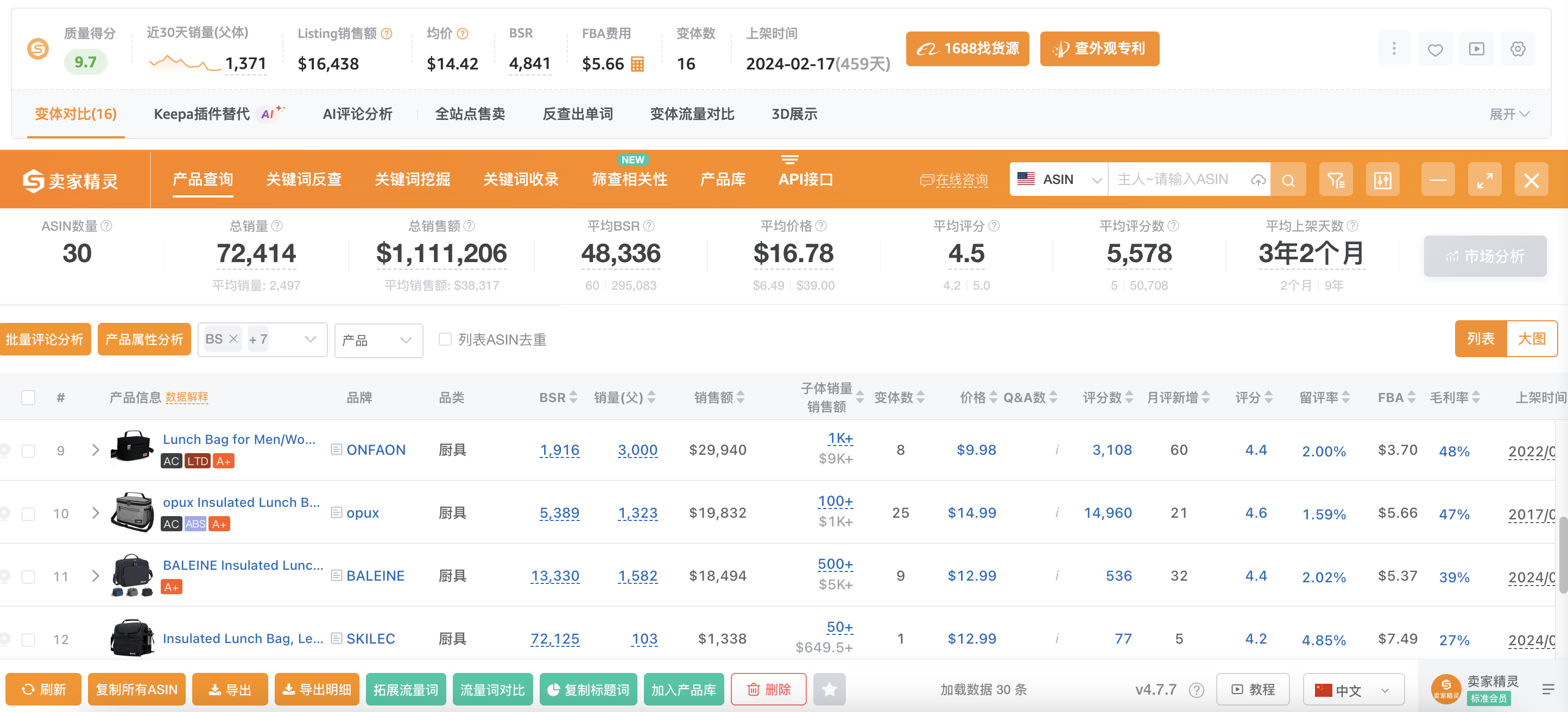
PricePal offers a quick snapshot. For deeper research like historical sales or keyword demand, use SellerSprite’s main tools or Chrome extension.

Keep Updated

Data refreshes every 24 hours. Make sure your extension is updated for the latest marketplace and site support.

Handle No Match Cases

If PricePal cannot find a match, try similar images or search manually. Slight differences in packaging or branding can affect image recognition.

6. Troubleshooting

  • No icon appears: Refresh the page or ensure it is fully loaded.
  • Extension not responding: Check if you are logged in and using the latest version.
  • Data not loading: Disable ad blockers or VPNs that may interfere.
  • Wrong match: If the Amazon result looks different, ignore it or verify manually.

7. Why Use PricePal

PricePal helps you make data-driven sourcing decisions by combining supplier information with real Amazon market data. It allows you to verify product demand instantly, estimate potential profit margins, avoid low-demand or unprofitable items, and discover trending opportunities early.

8. Summary

PricePal: Compare Identical Product Sales is a simple yet powerful tool that connects supplier listings with Amazon performance data. It is easy to install, straightforward to use, and accurate for daily product research.

Whether you are a professional Amazon seller or a beginner exploring product sourcing, PricePal helps you identify profitable products faster and reduce risk.


Want to explore more SellerSprite extensions? Check the SellerSprite Extension Installation Guide to learn how to set up and use all SellerSprite tools in your browser.

Like if you think it helps you!
User Comments
    All Comments (0) / My Comments (0)
    Newest (0) / Hottest (0)

    No comments yet

    Scroll to view more