If you want shoppers to experience your brand beyond a product listing, an Amazon storefront is a valuable asset.
This guide covers how to create an Amazon storefront, design effective pages, and build trust with your brand story and About Seller narrative.
Key Takeaways
- An Amazon storefront is your brand's mini-site on Amazon: a curated shopping destination that can boost trust and cross-sell.
- Brand Registry unlocks Store builder: most sellers need a trademark and approval before they can create Amazon Store pages.
- Design for shoppers, not for you: clear navigation, category pages, best sellers, and a strong About section wins.
- Use SellerSprite Seller Tools to decide what to feature: prioritize products and keywords backed by demand signals.
- Promote your store like a landing page: use Sponsored Brands, social sharing, and seasonal refreshes.
Table of Contents
What is an Amazon Storefront?
An Amazon storefront, also called an Amazon Brand Store, is a multi-page branded shopping experience on Amazon that works like a mini-website for your brand.
Guide customers with categories, collections, and a brand story section that serves as your About Seller page.
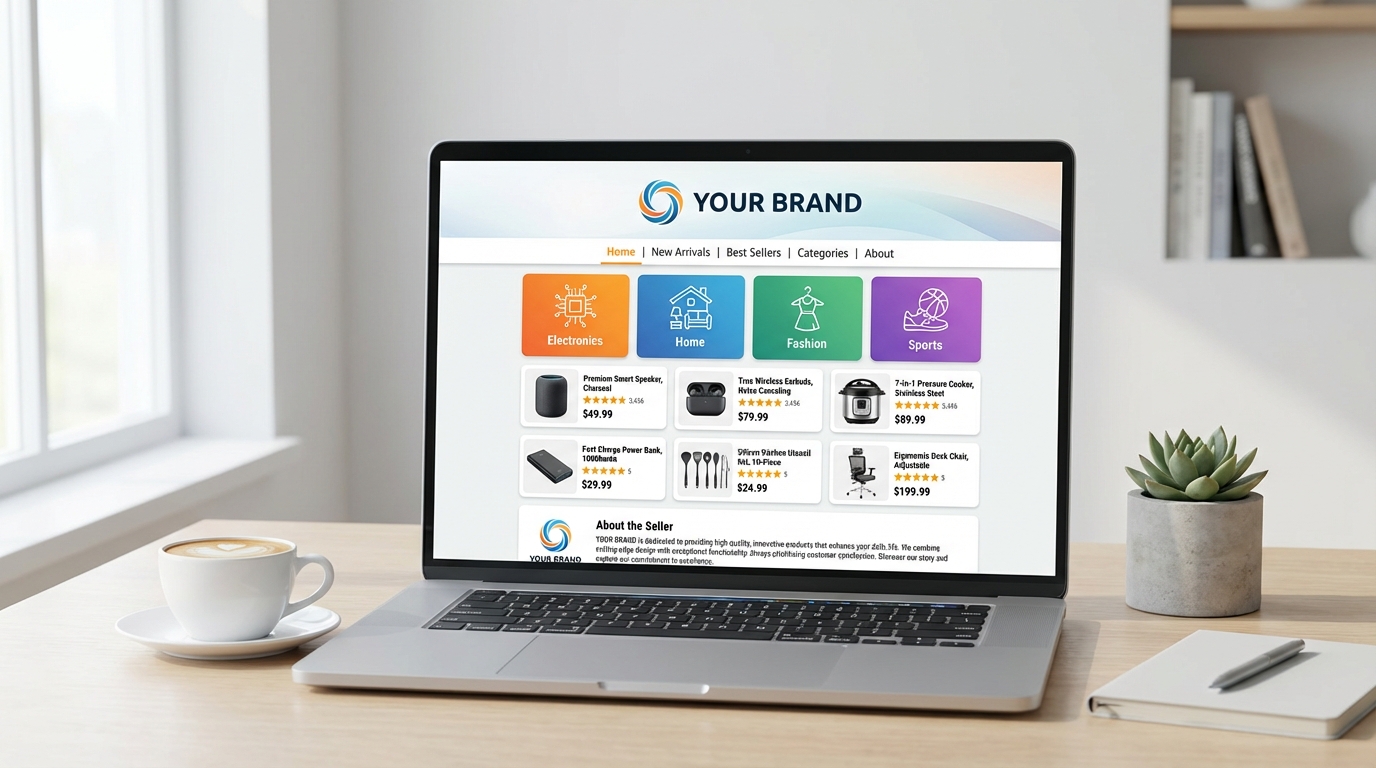
Overview of Amazon Brand Stores
Picture your store as a path: a home page for context, category pages for discovery, and subpages for product lines. This creates an intentional, not random, experience.
- Home page: your brand promise and best entry points.
- Category pages: collections like kitchen, travel, fitness, or bundles.
- Campaign pages: launches, seasonal sets, gift guides.
- Brand story: an About Us narrative aligned with Amazon's About Seller expectations.
Benefits of Having a Storefront
A storefront lets you guide shoppers, making it easier to cross-sell and build brand familiarity.
- Brand building: a consistent look builds recognition and trust.
- Cross-selling: guide shoppers to related products and bundles.
- Higher-intent traffic: store visitors are often further along in the shopping process.
- Cleaner storytelling: your About section supports confident buying decisions.
Requirements for Creating a Storefront
Before starting, check eligibility. Most brands need a Brand Registry and a seller account in good standing.
Enrolling in Amazon Brand Registry
Brand Registry unlocks the Store builder. If unregistered, focus on trademark readiness first.
Seller level requirements
You need an active, compliant seller account. Resolve any policy issues before creating your storefront.
SellerSprite workflow tip: Before store build, use SellerSprite Seller Tools to confirm which products deserve prime placement by checking demand signals and keyword intent across your category.
Step by Step: How to Create Your Amazon Storefront
Here is how to build an Amazon storefront that looks branded, easy to navigate, and supports conversions.
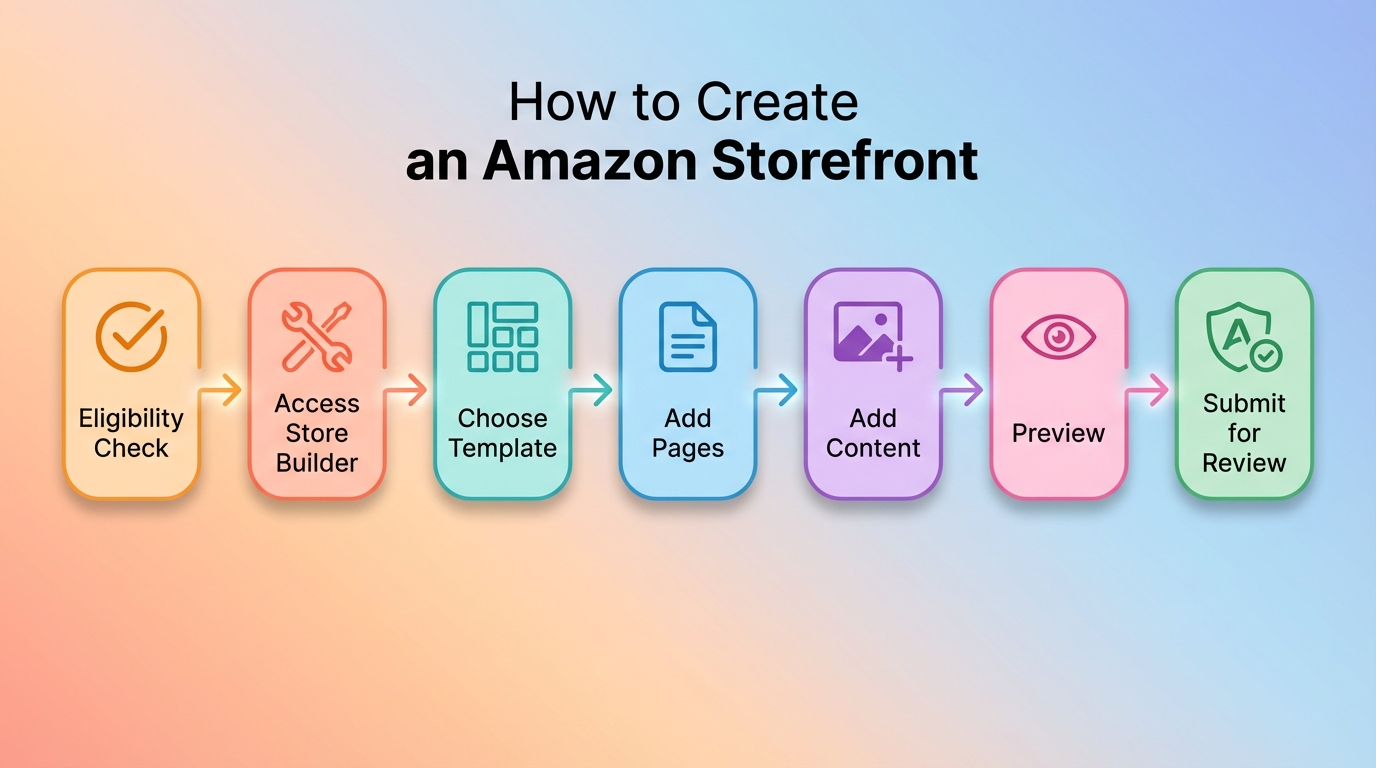
Step 1: Accessing the Store Builder
In Seller Central, find Stores, then open the Store builder to create and organize your storefront pages.
- Confirm your brand is selected correctly.
- Decide whether you need a single-page store or a multi-page structure.
- Gather your logo, images, and product plan before starting.
Step 2: Choosing a Template or Layout
Templates help you build faster. Choose a layout that matches how shoppers browse your category.
- Product grid: best for catalogs and broad assortments.
- Hero plus categories: best for focused brands with 3-6 lines.
- Story first: best when differentiation needs explanation.
SellerSprite product selection tip: Use SellerSprite Keyword Conversion Rate tool to map top-converting keywords to each product line, then align your store navigation with how shoppers search.
Step 3: Adding Pages and Sections
A strong store has a clear home page and focused category pages. The goal is to make browsing effortless so shoppers keep moving deeper into your catalog.
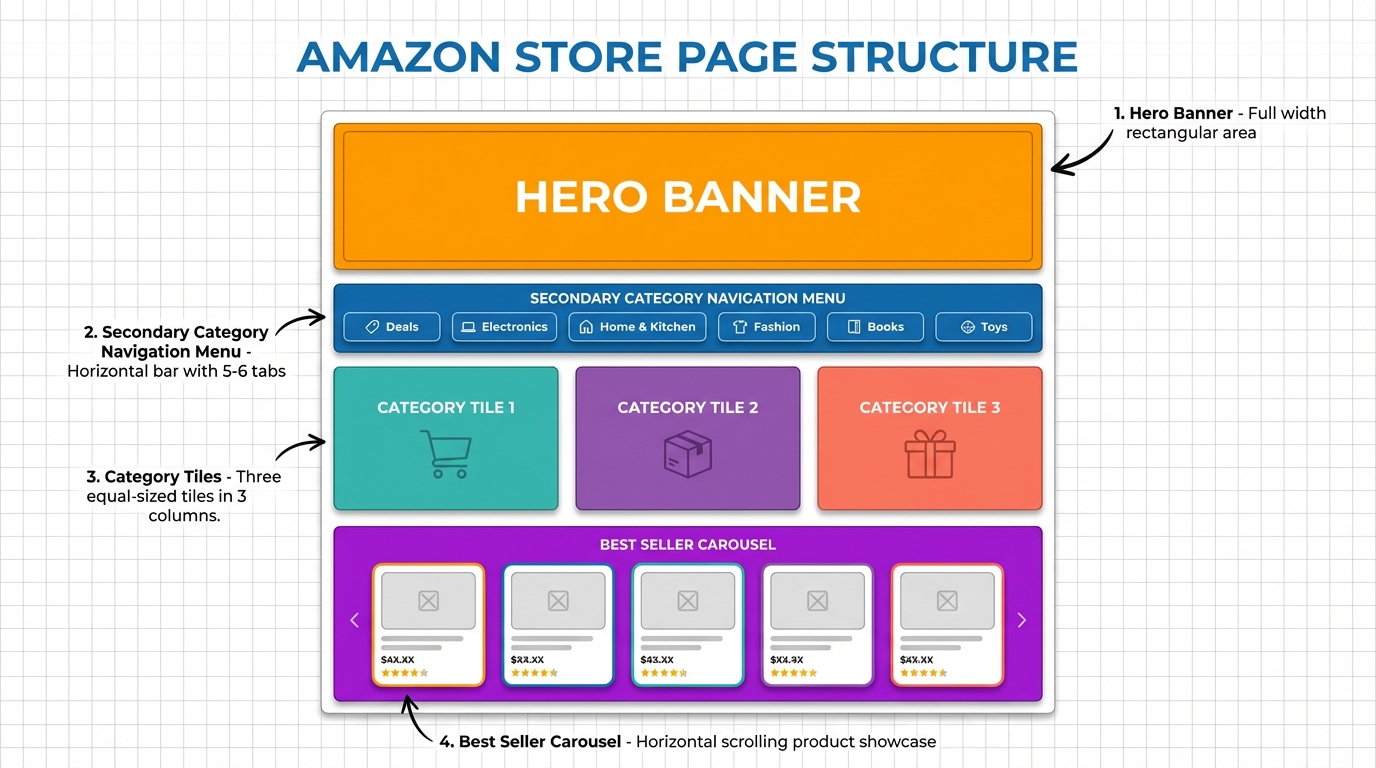
Recommended page set for most brands
- Home: brand promise, best sellers, top categories.
- Category page 1: core product line and key benefits.
- Category page 2: adjacent product line and bundles.
- Deals or seasonal: promotions and gift sets if available.
- About: brand story and values that support trust.
Step 4: Uploading Images and Content
Images and copy are what make your Amazon storefront feel like a real brand experience. Use lifestyle visuals, simple headlines, and scannable benefit blocks.
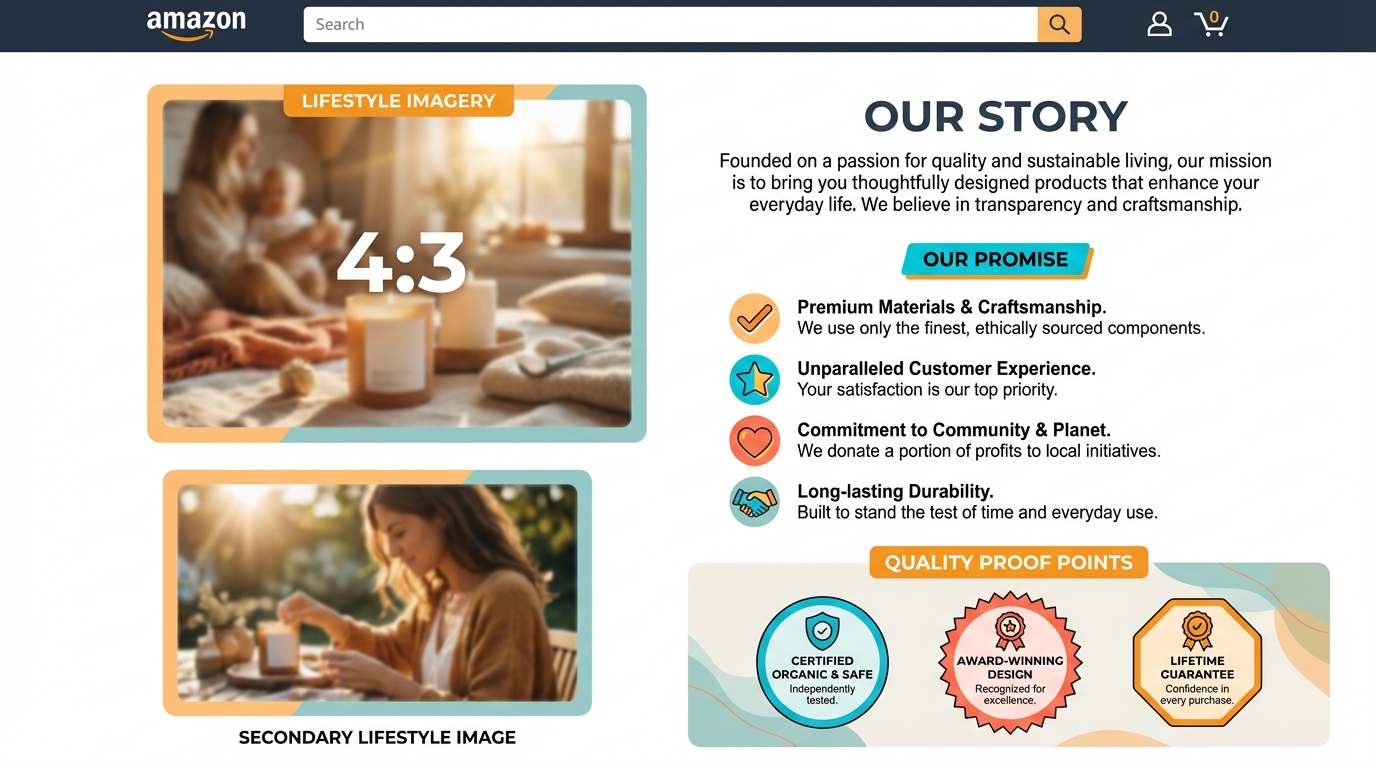
What to include in your About the Seller style brand story
- Why you exist: one sentence mission customers can repeat.
- Who you help: the customer and the problem you solve.
- What makes you different: materials, design, testing, and warranty.
- Proof: measurable facts like years in category, quality controls, or customer outcomes.
Step 5: Submitting for Review
Preview every page, fix broken tiles, and verify your navigation. Then submit for Amazon review. Once approved, your store goes live, and you can start sending traffic to it.
- Check spelling and make sure your image quality is high. Image quality refers to clarity, resolution, and how well the image represents your product.
- Confirm that each category tile link points to the correct page.
- Ensure your brand story is clear and not overly long.
Tips for an Effective Amazon Storefront
Once you create an Amazon Storefront, the next step is making it perform. Strong stores are consistent, focused, and up to date.
Designing for your brand aesthetic
Keep colors, fonts, and image style consistent across pages. Clarity beats complexity.
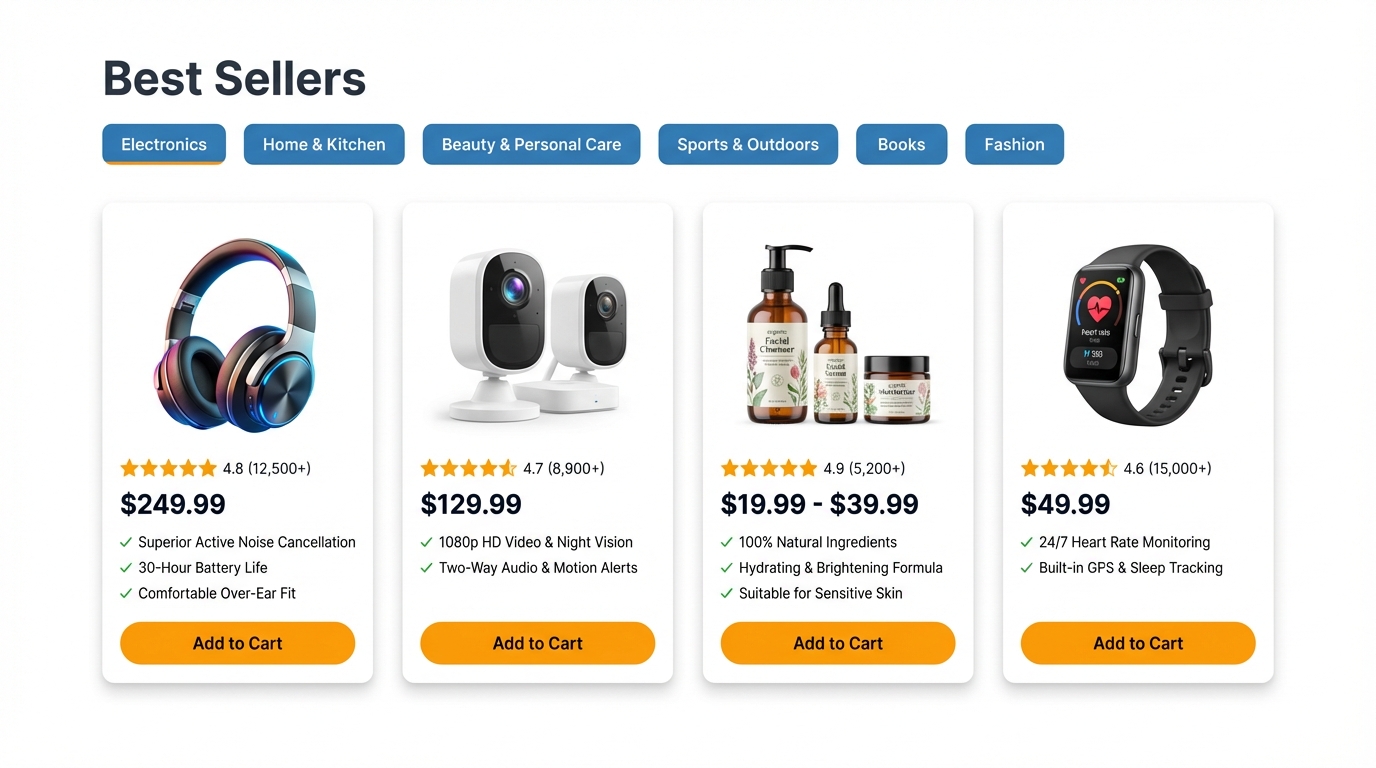
Highlighting bestsellers and deals
Put your strongest products above the fold and use clear collection labels so shoppers know where to go next.
Using video and rich content
If a video is available for your brand, use a short brand intro and one product demo. Keep it simple and benefit-focused.
Regularly updating your store
Refresh images, swap seasonal modules, and add new releases. Small updates keep the experience relevant and can improve shopper engagement.
SellerSprite planning tip: Use SellerSprite Keyword Tools to spot seasonal keyword shifts and demand spikes, then update store modules to match shopper intent.
Promoting Your Amazon Storefront
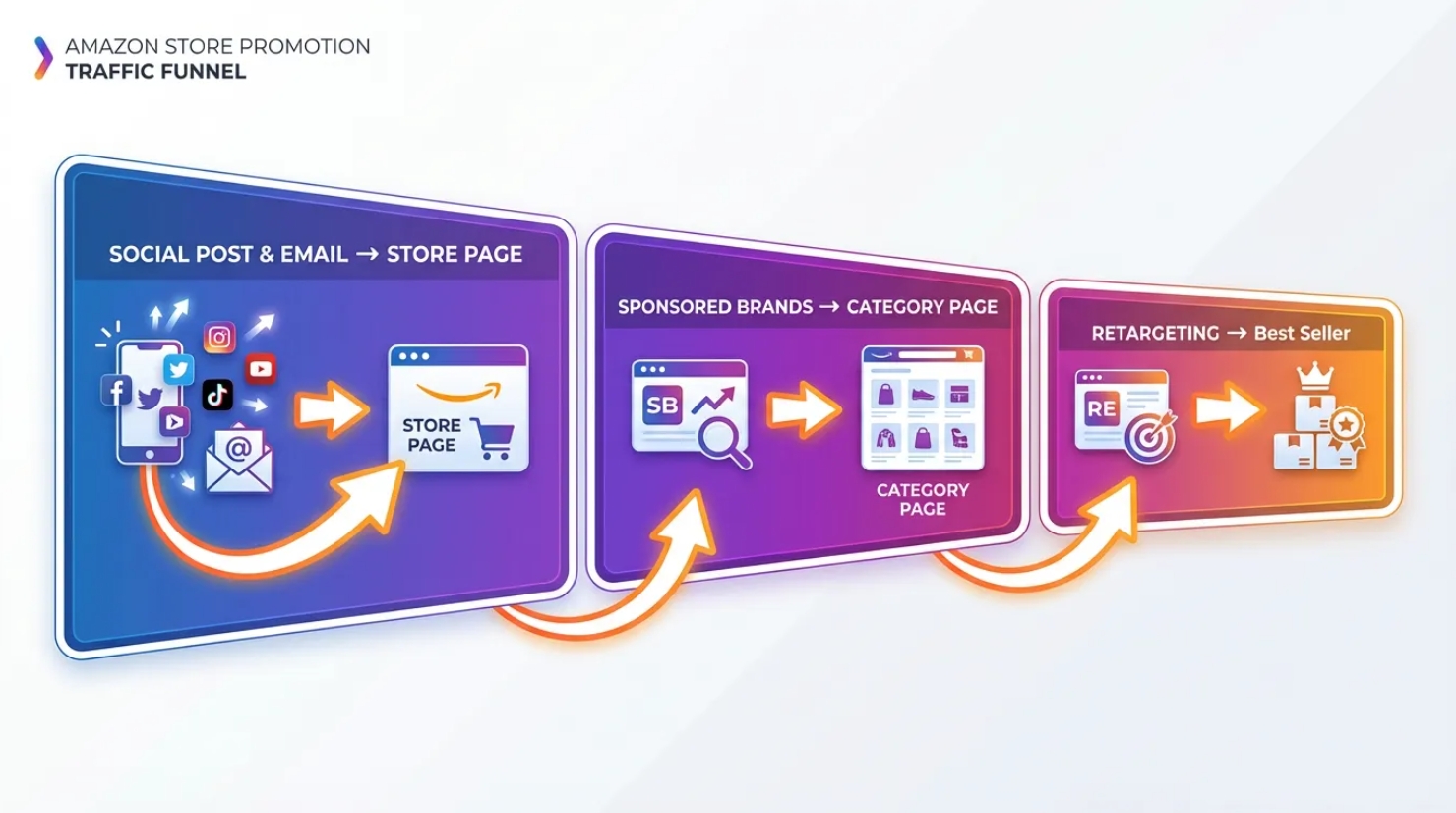
Your store is a destination. Promote it like a landing page and give shoppers a reason to explore more than one product.
Share your store link
Add your store URL to social profiles, email flows, and your brand website. When you create Amazon storefront pages with clear categories, external traffic can browse and self-select quickly.
Amazon Sponsored Brands ads
Sponsored Brands can send traffic directly to your store or to specific pages inside it. Align ad headlines with page themes.
Utilize Influencers or Amazon Posts
Work with creators who match your customer base and drive them to the most relevant store page. One focused page often converts better than a generic home page.
Conclusion: Build Your Brand Identity on Amazon
The long-term value of a brand store
A strong storefront is not just decoration. It is a system that helps shoppers discover, compare, and trust your brand. Over time, it can make it easier to launch new products and increase repeat purchases.
Motivation to get started
Start simple and improve monthly. Even a clean home page, two category pages, and a clear About section are enough to create momentum. You can always refine once you see what shoppers click.
Simple next steps
- List your top product lines and map them to store categories.
- Use SellerSprite Seller Tools to confirm keyword demand and decide what to feature.
- Build a home page, two category pages, and an About section.
- Submit for review and launch the promotion with a single focused traffic source.
Build a Storefront That Shoppers Actually Navigate
Use SellerSprite Seller Tools to find high-intent keywords, choose which products deserve top placement, and plan seasonal storefront updates based on real demand signals.
FAQs
Q: How do I create an Amazon storefront if I am new to Brand Registry?
A: Start by confirming trademark readiness and completing Brand Registry steps. Once your brand is eligible, open Store builder in Seller Central and follow the page template workflow.
Q: How many pages should my Amazon storefront have?
A: Most brands start with 3 to 5 pages: home, 2 category pages, a best seller or seasonal page, and an About page. Expand once you see shopper behavior.
Q: How do I write an Amazon About Seller brand story for my store?
A: Use a short mission statement, who you serve, what makes you different, and one proof point. Keep it scannable and aligned with the products on that page.
Q: How can SellerSprite help when I create an Amazon storefront?
A: Use SellerSprite Seller Tools to identify high-intent keywords, decide which products deserve top placement, and plan seasonal refreshes based on demand signals.