If your listing copy feels generic, it is usually because you are guessing what buyers care about.
In this chapter, you will extract competitor review language, summarize the strongest benefits and pain points, and generate sharper bullet points and a product description that reads like it was written by a real human.
You will use SellerSprite Review Analysis and Listing Builder to do the heavy lifting, then apply a simple four-part description template to finish strong.
The goal is not a perfect copy on the first try. The goal is a faster system you can repeat and improve every time.

Conclusion
The fastest way to improve copy is to use real review language and translate it into outcomes shoppers understand.
Applicable scenarios
- Launching a new product, and you need bullet points that match buyer intent quickly.
- Refreshing an existing listing that has traffic but weak conversion.
- When entering a competitive niche, you want to position against what reviews actually reveal.
- Building copy at scale across variations while keeping messaging consistent.
Limitations
- If your product is not comparable to the competitors you select, your insights will be misleading.
- If the category has very few reviews, you may need to supplement with sources such as Q&A and product features.
- If you write claims that your product cannot support, you risk compliance issues and customer disappointment.
If you only remember one thing
Your Amazon bullet points and description should mirror what buyers praise and complain about in reviews, and then translate those points into outcomes in plain English.
Key takeaways
- Use SellerSprite to pull review language fast, then write copy from proof, not assumptions.
- Extract a clean list of benefits and pain points before you write a single bullet point.
- Generate bullet points in Listing Builder, then edit for clarity and brand voice.
- A strong product description follows a simple structure: headline, solution, expanded bullets, call to action.
- Aim for a repeatable workflow you can refresh regularly as reviews and competitors evolve.
Background and definition
What this concept is
This workflow is built on customer voice data. It means using real review text to understand what shoppers love, what frustrates them, and what they expect your product to deliver.
Why it matters
Amazon shoppers scan. Bullet points and the product description translate features into outcomes, reduce uncertainty, and increase confidence. Better copy improves conversion rates, strengthening your listing over time.
Common mistakes
- Writing feature lists with no buyer outcome.
- Using vague claims that do not match the review language.
- Overstuffing keywords so the copy becomes unreadable.
- Skipping a clear call to action that nudges shoppers to commit.
Table of Contents
- Step 1: Collect competitor review data in SellerSprite
- Step 2: Extract top benefits and pain points with Review Analysis
- Step 3: Generate stellar bullet points in Listing Builder
- Step 4: Craft a compelling product description with a simple template
- Step 5: Quality check and publish with confidence
- Comparison and selection
- Examples and copyable templates
- FAQs
- Summary and next steps
- About the author
- References
Step 1: Collect competitor review data in SellerSprite
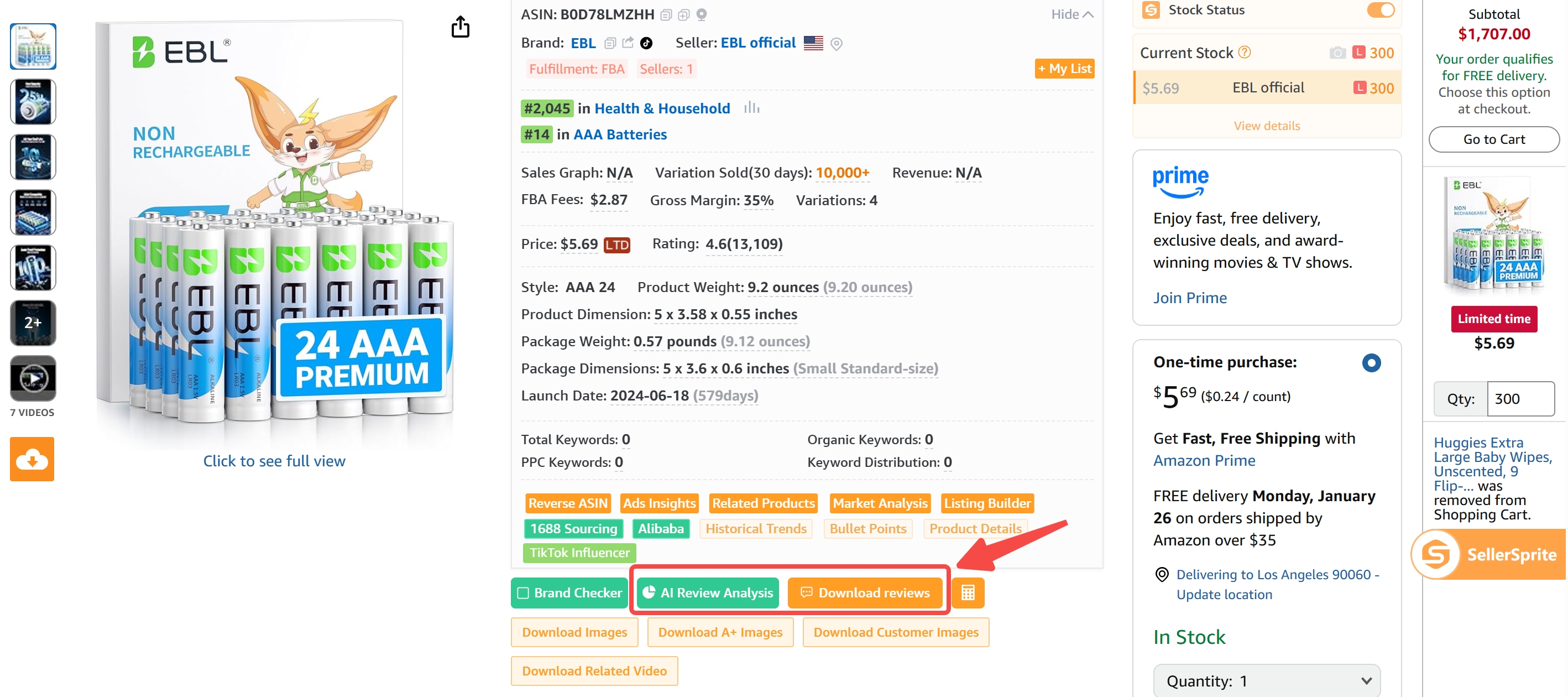
Start by pulling recent reviews from top competitors so your copy reflects what buyers actually say, not what sellers hope buyers say.
Steps
- Select comparable competitors: choose products with similar positioning, pricing, and use cases.
- Open SellerSprite on the product page: use the SellerSprite extension or web tools to access review utilities.
- Download recent reviews: export a focused set, such as the most recent fifty to two hundred reviews, to keep insights current.
Notes
- Prioritize recent reviews to reflect current expectations and competitor changes.
- If a competitor has thousands of reviews, sample across rating levels, not only five stars.
- If you already sell, include your own reviews too, so your copy matches your real buyers.
Step 2: Extract top benefits and pain points with Review Analysis
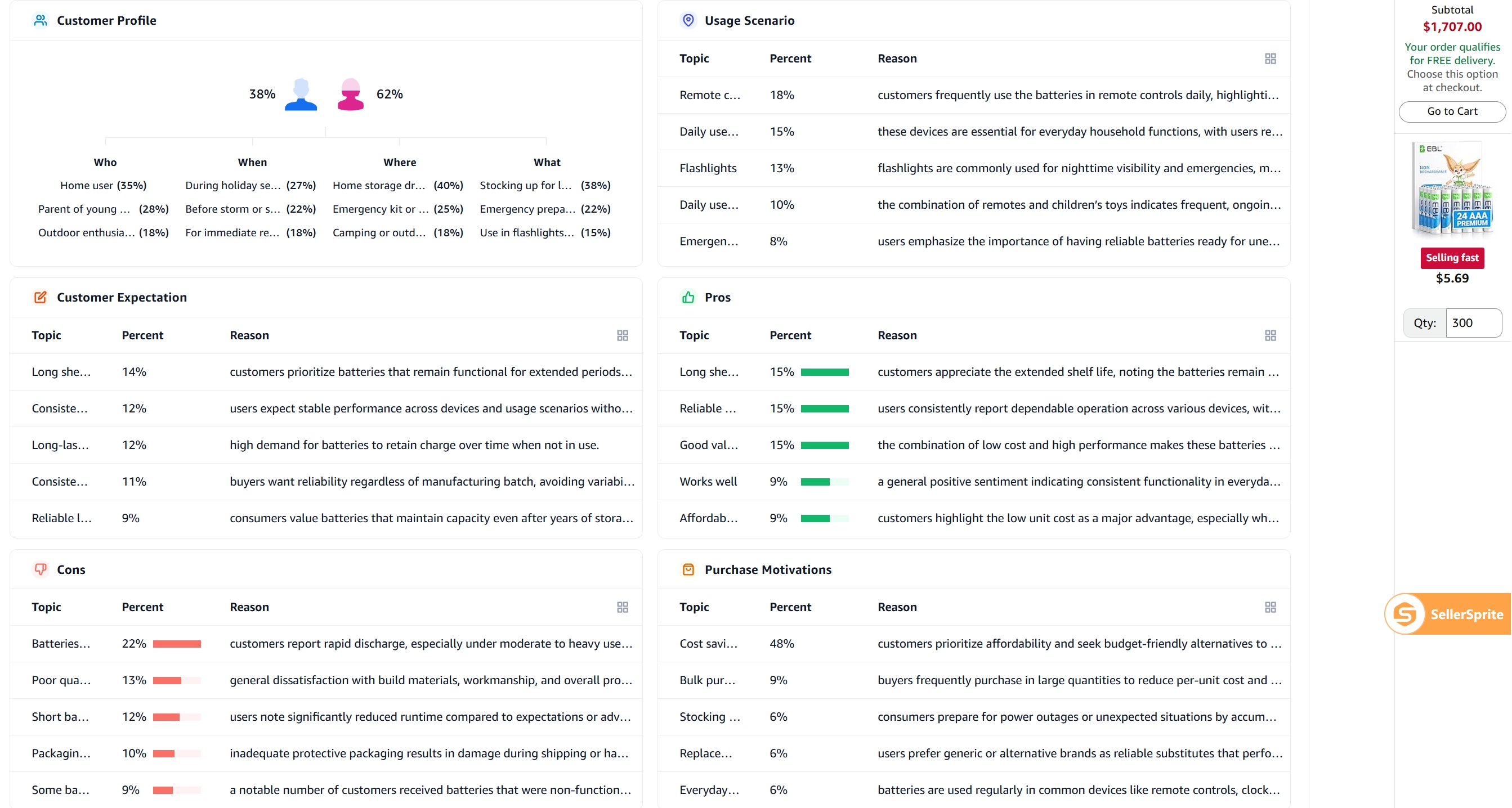
Before you write, summarize what buyers consistently praise and what frustrates them. This gives you a clear message strategy for bullet points and your product description.
Steps
- Run SellerSprite AI Review Analysis: either process your exported reviews or analyze them directly in SellerSprite.
- Capture the top five benefits: convert them into buyer outcomes, not feature jargon.
- Capture the top five pain points: use them to create reassurance and clarity in your copy.
Notes
- If a benefit is not mentioned in reviews, it should not lead your bullet points.
- If buyers complain about confusion, your copy should add specifics and clear expectations.
- For regulated categories, keep claims compliant and focus on supported product outcomes.
Your advantage is not writing more words. Your advantage is writing the right words that buyers already believe.
Step 3: Generate stellar bullet points in Listing Builder
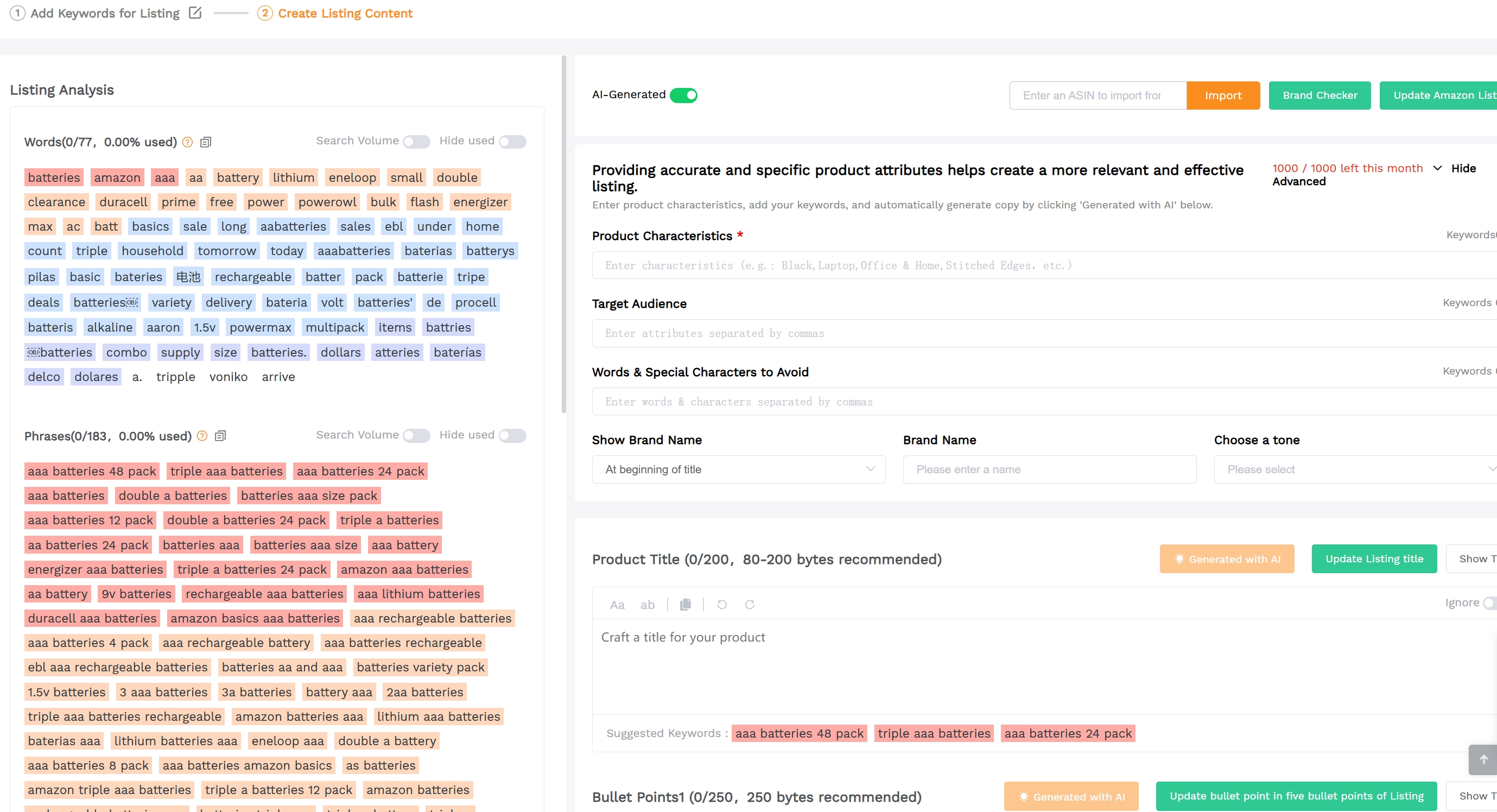
Now turn your benefit list into bullet points that sound confident, readable, and persuasive. SellerSprite's free tool Listing Builder helps you draft fast, then you refine for brand voice.
Steps
- Open Listing Builder: load your product draft and confirm the marketplace and language.
- Generate bullets from insights: use your benefits and pain points as the input for the first draft.
- Constrain the format: keep each bullet concise and outcome-focused so mobile shoppers can scan fast.
Notes
- Lead each bullet with a benefit label, then support with proof, material, sizing, or usage context.
- Avoid fluff. Every line should reduce doubt or increase desire.
- If you want a more sales-focused tone, regenerate once, then edit for accuracy.
Step 4: Craft a compelling product description with a simple template
Your product description is a second chance to convert. Keep it readable, avoid formatting tricks, and follow a clear four-part structure.
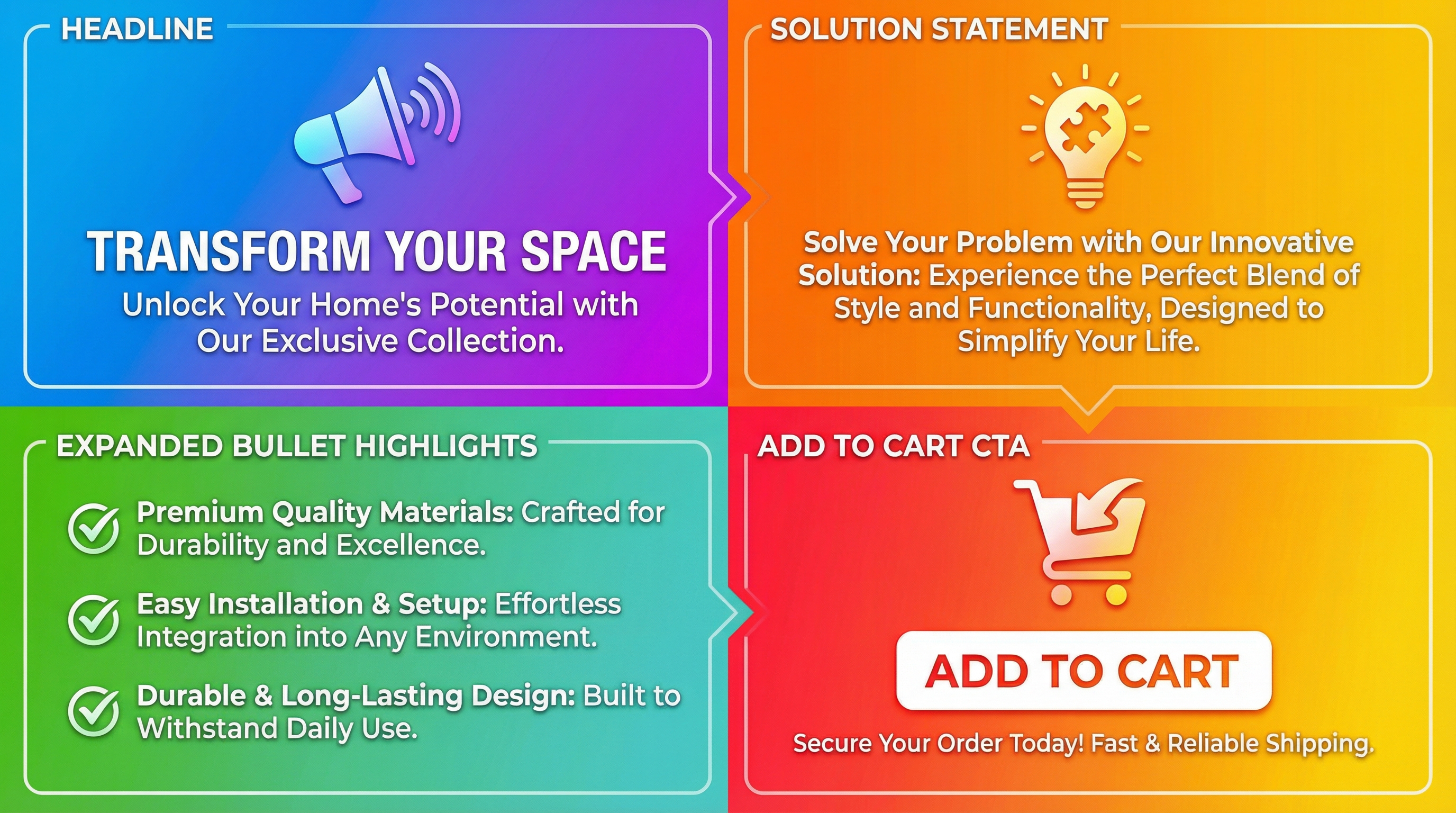
The four-part structure
- Headline: a short hook that earns attention using a clear promise or a simple question.
- Product as the solution: connect the hook to your product and the buyer problem it solves.
- Expanded highlights: restate your main bullets with slightly different wording and extra clarity.
- Call to action: a confident nudge that tells the shopper what to do next, such as add to cart.
Notes
- Do not rely on HTML tags or emojis. Keep the description clean and compliant.
- Repeating key benefits helps reinforce your message for shoppers.
- Keep the tone human, specific, and consistent with your brand voice.
Step 5: Quality check and publish with confidence
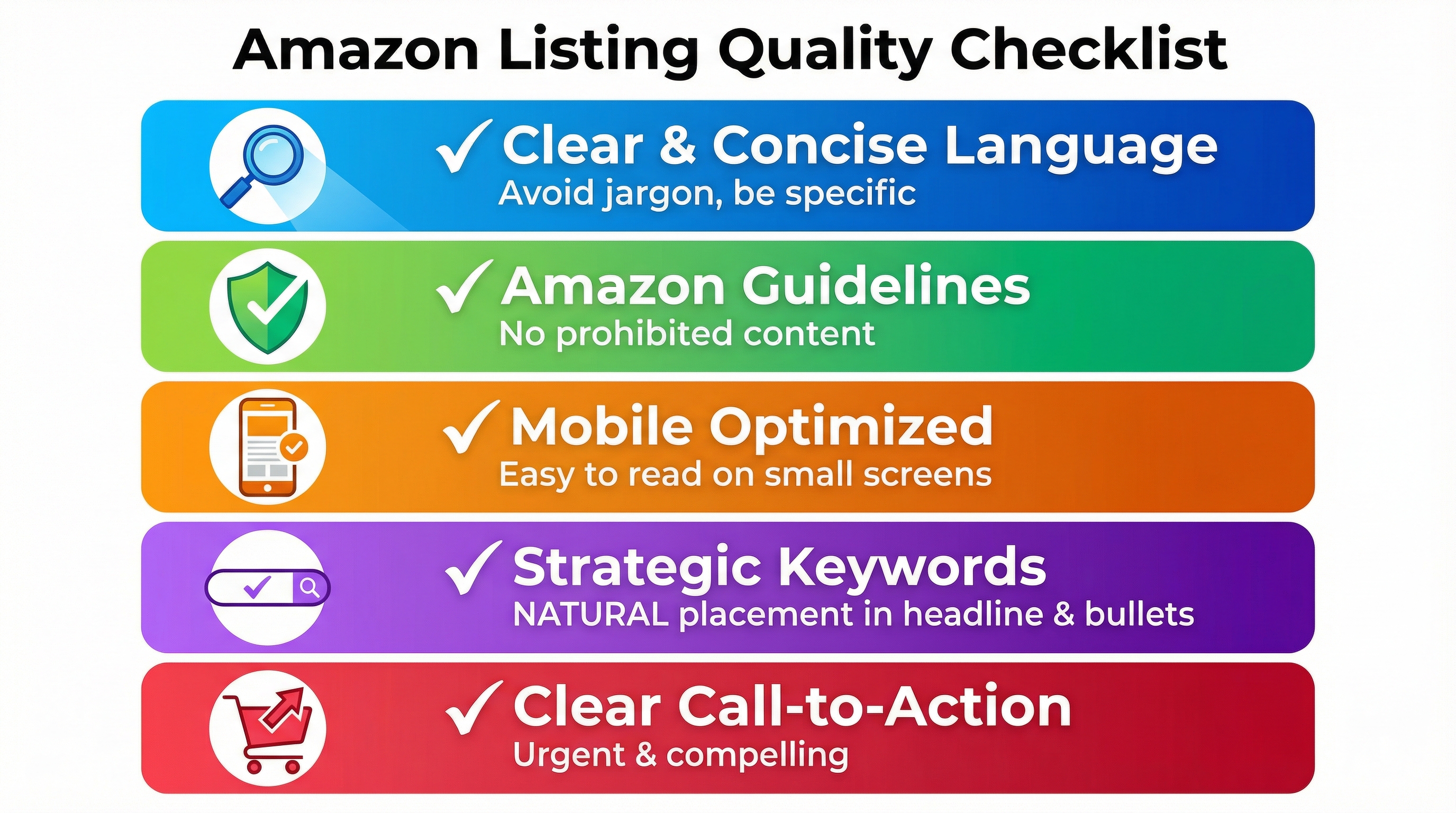
A fast draft is only the starting point. Do a quick quality pass so your copy is clear, compliant, and conversion-ready.
Steps
- Read out loud: if it sounds robotic, simplify the sentence and add specificity.
- Verify claims: keep only benefits you can support with product reality and category rules.
- Check scanability: ensure each bullet is easy to understand at a quick glance.
Notes
- If you want a second opinion, ask the SellerSprite community to review your bullets for clarity and intent.
Comparison and selection
Choose the approach that aligns with your timeline and your level of confidence in your messaging.
Comparison dimensions
- Cost: manual writing costs time; SellerSprite-assisted drafting reduces time while keeping you in control.
- Time: manual takes longer; AI Review Analysis plus Listing Builder drafts in minutes.
- Risk: manual can miss real buyer language; AI drafts can overgeneralize unless you validate and edit.
- Best for: manual for expert brands with deep positioning; SellerSprite assisted for faster iteration and consistent quality.
Recommendation: Use SellerSprite to draft and structure quickly, then spend your time refining tone, proof points, and accuracy. That is where you win.
Examples and copyable templates
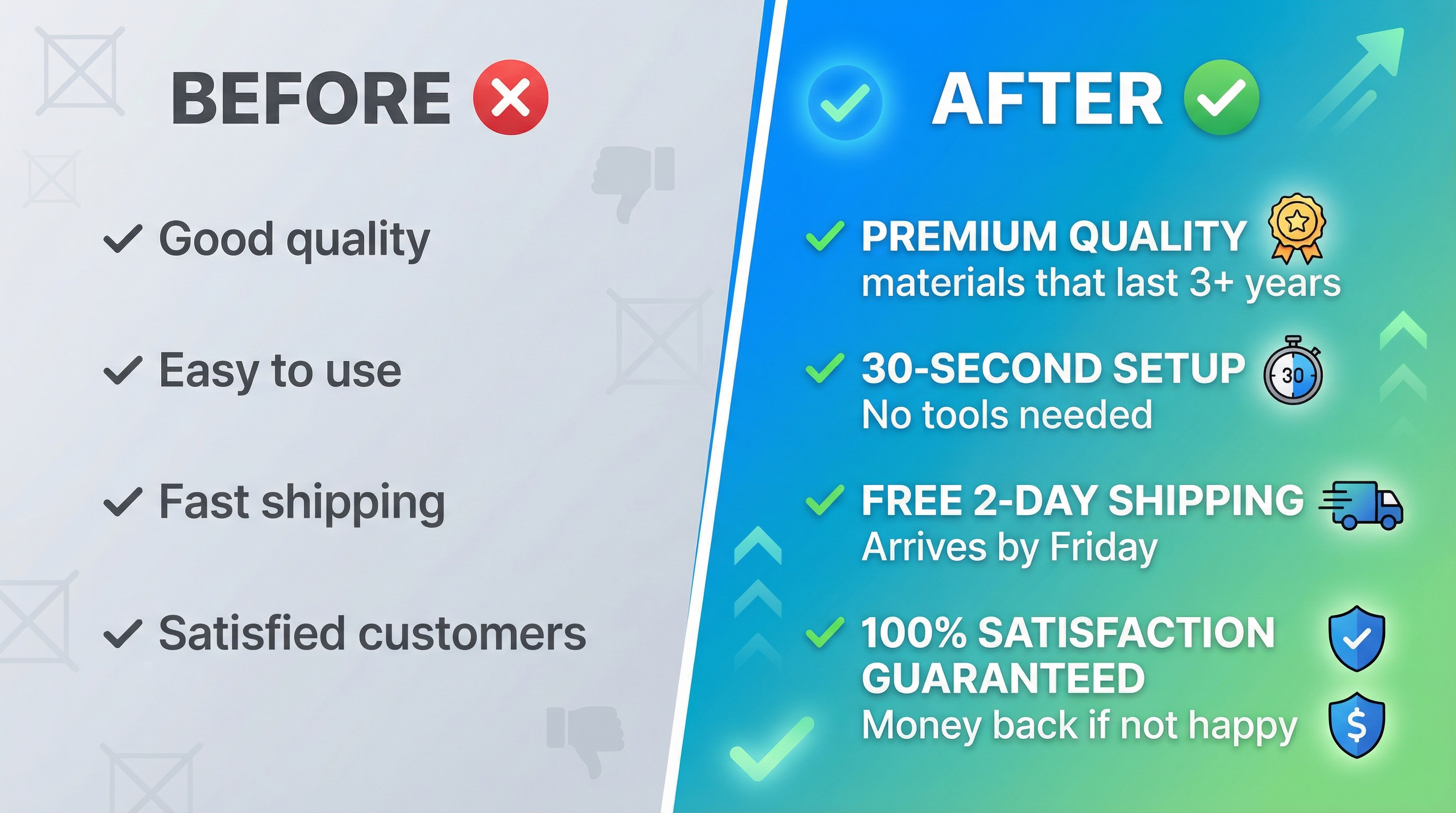
Example 1: Bullet point format you can reuse
Bullet structure
BENEFIT LABEL: The outcome the buyer wants, then one proof point like material, size, test, compatibility, or use case.
Example: ALL DAY COMFORT: Soft breathable fabric and tag-free seams help you stay comfortable at work, travel, and daily errands.
Example 2: Product description template you can copy
Four-part description
- Headline: A short hook that makes the shopper care.
- Solution: One to two lines that connect the hook to your product.
- Expanded bullets: Rephrase your five main bullets with extra clarity and reassurance.
- Call to action: End with add to cart.
Copyable template for generating bullets in SellerSprite
Input to use in Listing Builder
Use these rules when generating bullet points:
- Write five bullets.
- Start each bullet with a short, capitalized benefit label.
- Support with one proof point and one use case.
- Keep language natural and easy to scan on mobile.
- Avoid exaggerated claims and keep it accurate.
FAQs
Q1: How many reviews should I analyze to write better bullet points?
A: Start with the most recent fifty to two hundred reviews across a few competitors. If the category is mature, expand to include mixed ratings so you capture both praise and complaints.
Q2: Should my product description repeat my bullet points?
A: Yes, but use variety. Keep the core benefits, but add clarity, context, and reassurance. Repetition helps when it feels helpful, not copied.
Q3: How do I make AI-generated bullets sound more human?
A: Edit for specificity. Replace vague words with measurable details, real use cases, and clear outcomes. If it sounds like a brochure, shorten the sentence and add one concrete proof point.
Summary and next steps
You now have a complete workflow to write Amazon bullet points and a product description using SellerSprite Review Analysis and Listing Builder.
Keep it simple: reviews give you the truth, SellerSprite helps you draft fast, and your final edits turn the draft into a conversion-focused message.
Next step action checklist
- Pick three to five comparable competitors and export recent reviews.
- Run SellerSprite Review Analysis and save the top benefits and pain points.
- Generate five bullets in Listing Builder, then edit for accuracy and clarity.
- Write your product description using the four-part template and end with add to cart.
- Ask the community for feedback if you feel stuck on positioning.
Share Your Sourcing Journey With SellerSprite Community
Join the SellerSprite community on the Facebook Group to share your progress, ask copywriting questions, and get support from fellow Amazon sellers.
View The SellerSprite Course Directory
Ready for the next step? Open the SellerSprite Academy course directory to continue building your Amazon FBA skills chapter by chapter.
About the author
SellerSprite Team creates practical, repeatable workflows that help Amazon sellers write better listings using customer language, data-driven insights, and consistent execution.