TL;DR: Reverse ASIN data reveals real buyer search behavior, helping Amazon sellers validate product ideas with demand evidence, not guesses. Follow this step-by-step guide to avoid costly launch failures.
Key Takeaways
- Reverse ASIN data exposes actual search terms driving traffic to competitor listings, offering a real-world demand check.
- Validating product ideas requires analyzing keyword breadth, competition strength, differentiation gaps, and operational feasibility.
- Use a structured 6-step process, from competitor selection to PPC feasibility, to make data-backed go/no-go decisions.
Table of Contents
- Why Reverse ASIN Data Is a Powerful "Reality Check" for Product Ideas
- What Reverse ASIN Data Can (and Can't) Tell You During Product Selection
- Set Your Validation Criteria (Before You Pull Any Data)
- Step 1: Choose the Right Competitor ASIN Set (Your Data Quality Depends on This)
- Step 2: Pull Reverse ASIN Keywords and Build a "Demand Map"
- Step 3: Validate Competition: Can You Realistically Win Those Keywords?
- Step 4: Validate Differentiation: What Would Make Buyers Choose You?
- Step 5: Validate PPC Feasibility Using Reverse ASIN Insights (Early Ad Reality Check)
- Step 6: Make the Go/No-Go Call (A Simple Decision Framework)
- Mini Case Walkthrough
- Common Mistakes When Using Reverse ASIN for Product Validation
- FAQ
- References
Note on marketplaces: This guide is specifically optimized for the US market.
Why Reverse ASIN Data Is a Powerful "Reality Check" for Product Ideas
Many Amazon sellers launch products based on hunches, best-seller lists, or gut feelings. But these methods often miss the real story: what are customers actually searching for? Reverse ASIN data flips the script by revealing the actual keywords that drive traffic to top-performing competitor listings. It's not about what’s selling; it's about what people are searching for.
Reverse ASIN shows demand language, not just product features
Traditional product research focuses on sales volume, reviews, and pricing. Reverse ASIN research goes deeper: it uncovers the language buyers use. For example, a competitor's listing might sell well for "portable camping stove," but reverse ASIN data could reveal high-volume searches for "lightweight backpacking stove for couples" or "compact stove with piezo ignition." These long-tail phrases expose unmet needs and niche opportunities.
How it differs from traditional product research (best-sellers ≠ best opportunities)
Just because a product is a best-seller doesn't mean it's a good opportunity. Dominant brands with massive ad budgets can skew results. Reverse ASIN data helps you see past the noise. Instead of chasing popularity, you identify demand clusters that aren't fully served: gaps where a well-positioned product can gain traction.
When to use it in the selection funnel (idea → shortlist → deep validation)
Reverse ASIN analysis isn't your first step; it's your validation step. Start with broad idea generation (e.g., "pet products"), then narrow to a shortlist (e.g., "dog cooling mats"). Only then should you pull reverse ASIN data to validate demand, competition, and differentiation potential. This prevents wasted time on ideas with no real search demand.
Definition: Reverse ASIN data refers to the list of search terms that customers use to find a specific product (ASIN) on Amazon. It's extracted using tools like SellerSprite and reveals real buyer intent, helping sellers validate product ideas with actual demand signals.
Use Reverse ASIN when:
- You have a shortlist of product ideas and need to validate demand
- You want to understand how customers search for a product category
- You're preparing for a product launch and need keyword insights
- You suspect a niche is saturated but want to find underserved angles
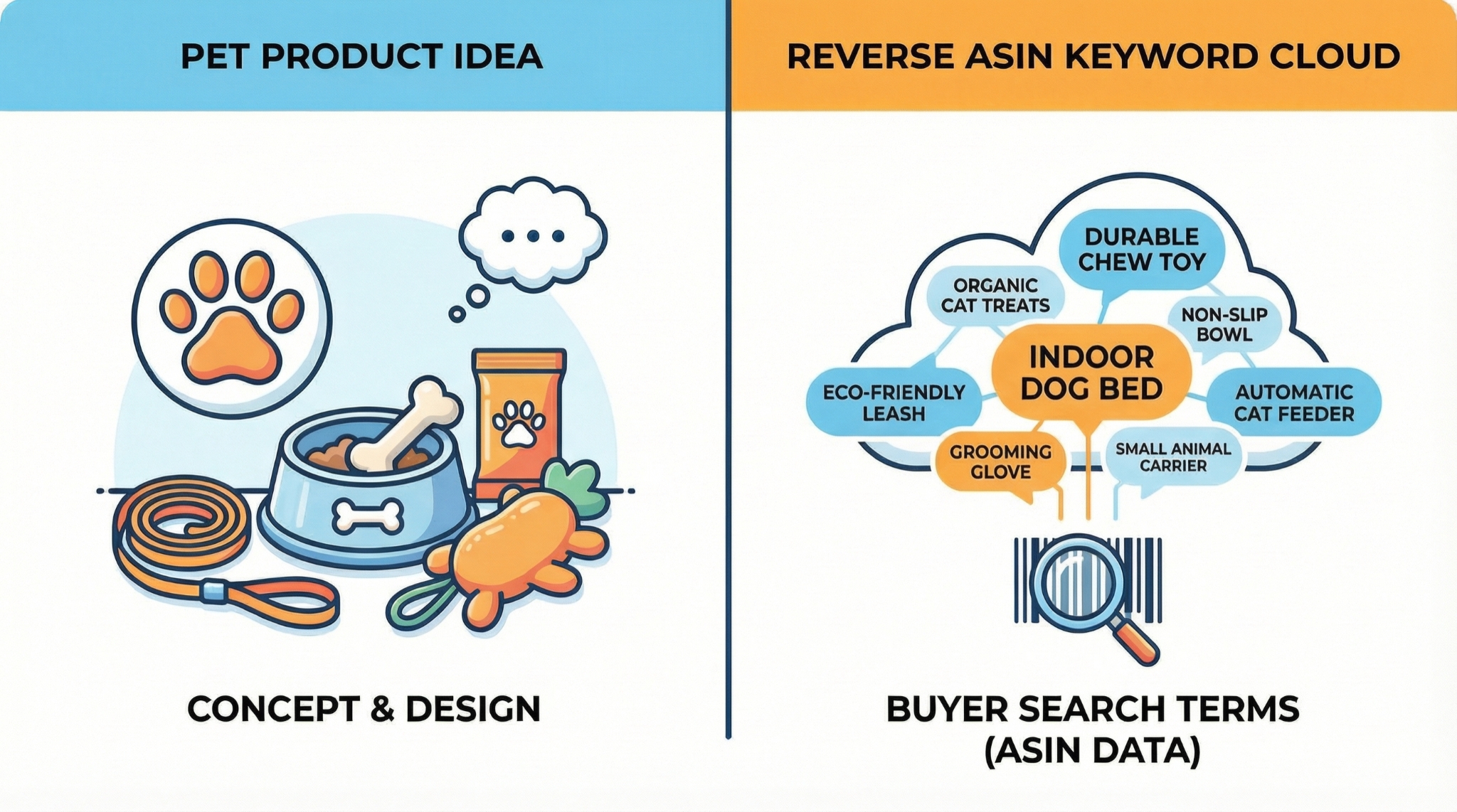
What Reverse ASIN Data Can (and Can't) Tell You During Product Selection
Reverse ASIN data is powerful, but it's not magic. Understanding its limits ensures you don't make decisions based on incomplete information.
What it reveals: keyword demand, intent, competitor positioning, traffic sources
Reverse ASIN data shows you the keywords that drive organic and sponsored traffic to a listing. You can see which terms have high search volume, which are long-tail, and how competitors are positioned. For example, if multiple ASINs rank for "non-toxic dog chew toys for aggressive chewers," that's a strong signal of demand and intent.
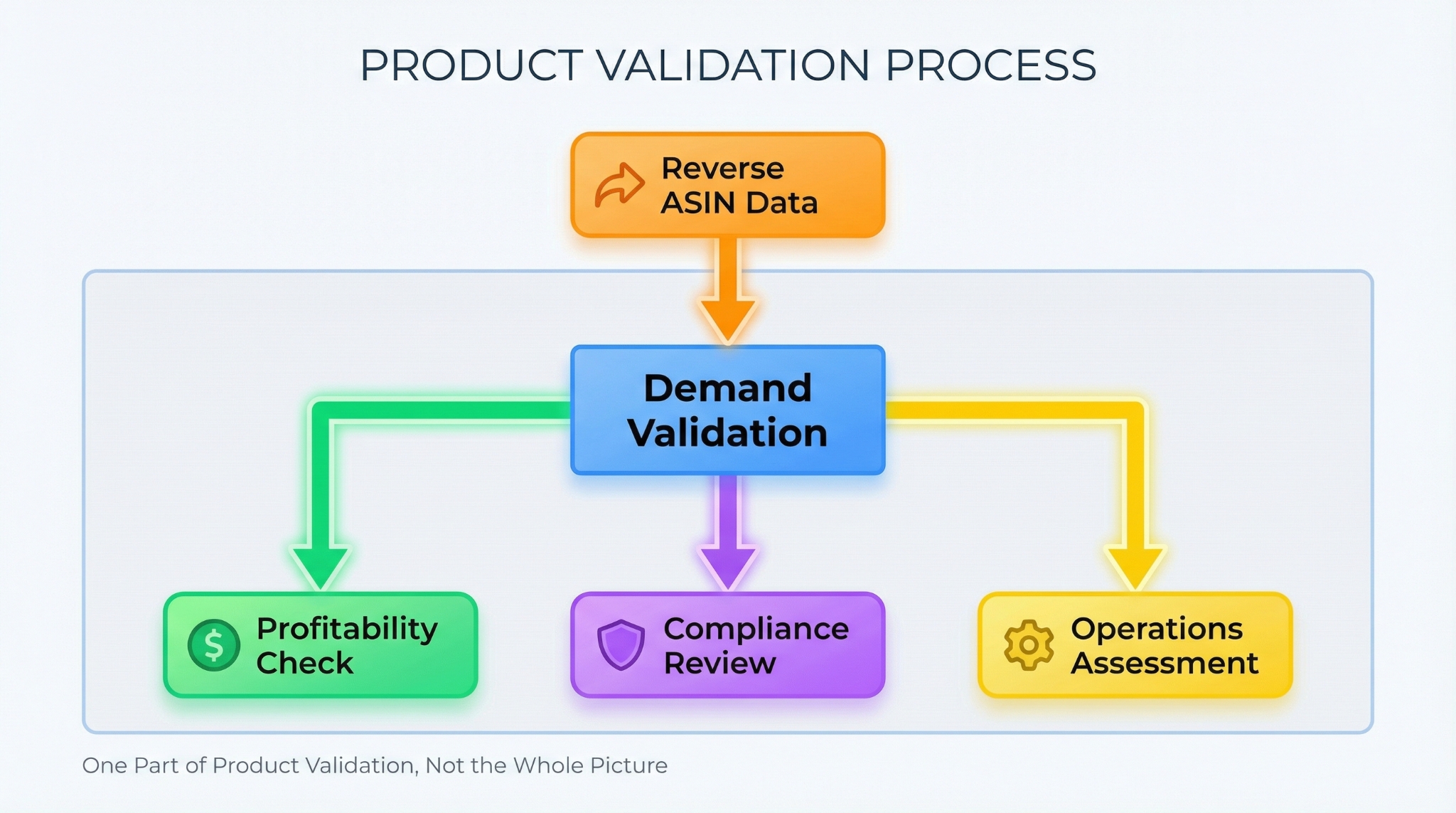
What it doesn't reveal: profitability, compliance risk, operational complexity
Reverse ASIN data won't tell you if a product is profitable after Amazon fees, shipping, and COGS. It won't flag compliance issues (e.g., FDA regulations for pet supplements) or operational challenges (e.g., fragile items with high return rates). These require separate due diligence.
The correct mindset: reverse ASIN = demand evidence, not a green light
Think of reverse ASIN data as evidence of demand, not a launch permit. It answers "Are people searching for this?" but not "Can I win here?" Combine it with financial modeling, compliance checks, and operational planning for a complete picture.
Set Your Validation Criteria (Before You Pull Any Data)
Before diving into data, define what success looks like. Without clear thresholds, you'll fall into analysis paralysis or make emotional decisions.
Define your pass/fail thresholds
Demand threshold (keyword breadth + consistency)
Require at least 50 relevant, non-branded keywords with consistent volume across multiple ASINs. Avoid niches dominated by one or two terms.
Competition threshold (review moat, brand dominance)
Avoid niches where the top 3 listings have over 1,000 reviews each and average ratings above 4.7. Also flag if one brand owns 70%+ of the top results.
Economics threshold (price band, margin, PPC feasibility)
Target a price range of $25-$60 with a minimum 30% net margin after fees, shipping, and ads. Use reverse ASIN data to estimate CPCs for key terms.
Operations threshold (size/weight, fragility, compliance, returns risk)
Avoid products that are oversized, heavy, fragile, or regulated (e.g., electronics, cosmetics) unless you have the infrastructure to handle them.
Build a simple "Opportunity Score" framework
Use this formula to score each product idea:
Opportunity Score = Demand × Differentiation × Ability-to-win × Operational Fit
Score each factor from 1 (low) to 5 (high). Multiply them. Only move forward if the total is 100 or higher (e.g., 5×4×5×4 = 400).
Step 1: Choose the Right Competitor ASIN Set (Your Data Quality Depends on This)
Garbage in, garbage out. Your reverse ASIN analysis is only as good as the ASINs you select.
The 3 competitor rules
Same use case + same customer + same price band
Pick ASINs that solve the same problem, target the same audience, and sell in the same price range. For example, if you're researching "ergonomic office chairs," don't include gaming chairs or $1,000 executive models.
Avoid distorted datasets (category giants, bundles, off-position variants)
Exclude ASINs from Amazon's Choice, Best Seller badges, or brands like AmazonBasics. Also skip bundles (e.g., "5-pack") and variants (e.g., "large" when researching "medium").
How many ASINs to include (3-10 is usually enough for a niche snapshot)
For most niches, 5-7 ASINs provide a reliable snapshot. Too few lacks diversity; too many introduces noise. Focus on the top 10 organic results for your core keyword.
Step 2: Pull Reverse ASIN Keywords and Build a "Demand Map"
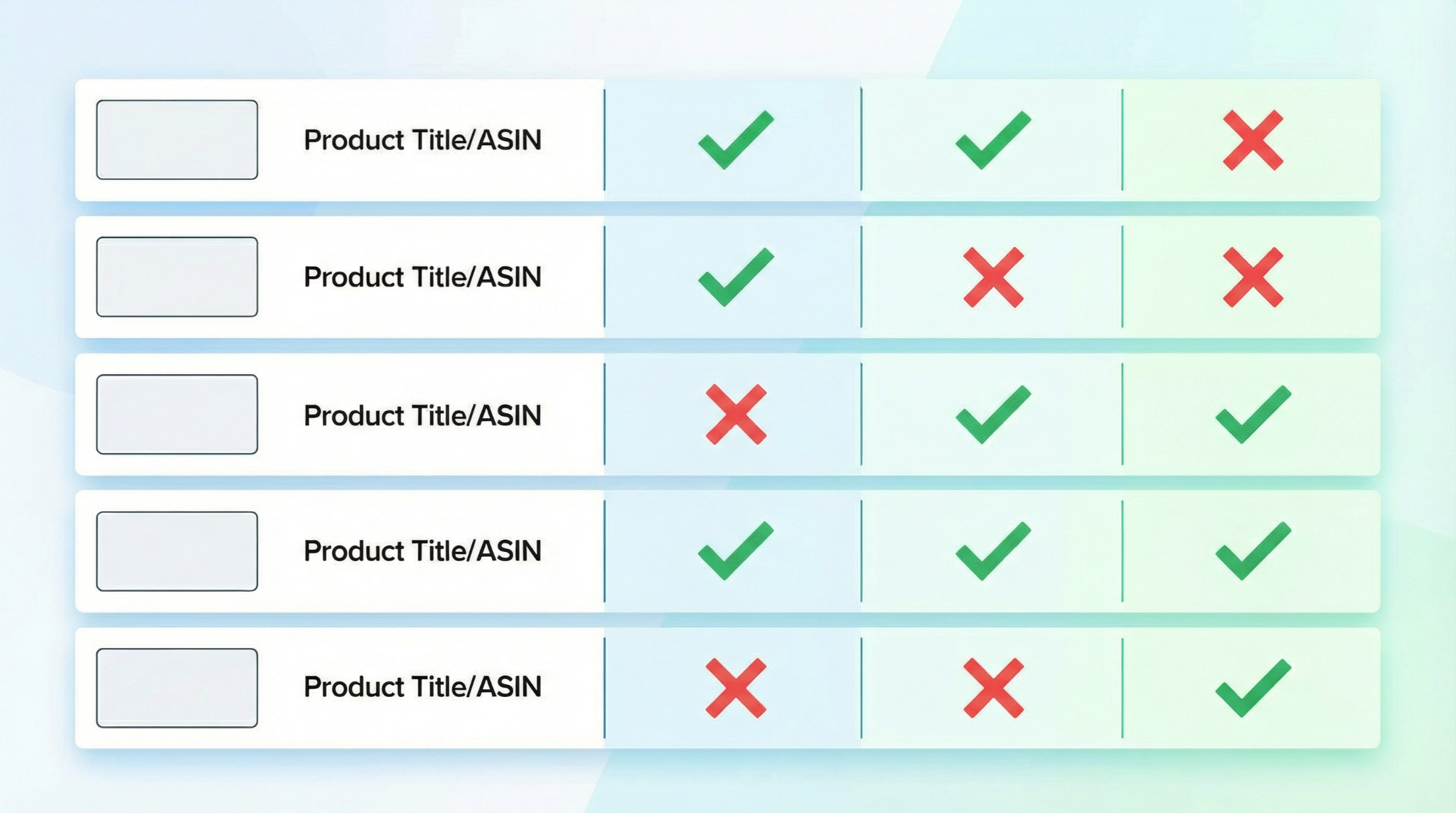
Now it's time to extract and organize the data. The goal is to create a "Demand Map": a visual representation of what buyers are searching for.
Export the keyword list (include rank type if available: organic vs. sponsored)
Use a tool like SellerSprite's Reverse ASIN tool to export keywords for each competitor ASIN. Include search volume, keyword type, and rank type, etc.
Clean the data (remove branded terms, irrelevant categories, ambiguous queries)
Filter out brand names (e.g., "Anker"), unrelated categories (e.g., "iPhone charger" for a pet product), and vague terms (e.g., "stuff").
Cluster by intent
Core category terms (what the product is)
e.g., "dog leash," "yoga mat," "coffee mug."
Attribute terms (size, material, feature, pack)
e.g., "extra-long dog leash," "non-toxic yoga mat," "insulated coffee mug."
Use-case terms ("for…", "with…", "compatible with…")
e.g., "dog leash for large breeds," "yoga mat for hardwood floors."
Problem/solution terms (pain-point language)
e.g., "no-pull dog leash," "non-slip yoga mat," "leak-proof coffee mug."
Comparison terms ("vs", "alternative", "replacement")
e.g., "leash vs. harness," "eco-friendly yoga mat alternative."
Demand signals to look for
Keyword breadth: many relevant keywords vs. one "hero term"
Broad demand across many terms is more sustainable than reliance on a single high-volume keyword.
Consistency: multiple ASINs share the same demand cluster
If 4 out of 5 ASINs rank for "non-slip yoga mat," that's a strong signal.
Long-tail density: lots of specific buyer queries (often best for profitability)
Long-tail keywords often have lower CPCs and higher conversion rates.
Step 3: Validate Competition: Can You Realistically Win Those Keywords?
High demand is useless if you can't compete. This step assesses whether you can realistically rank for the keywords in your demand map.
The review moat check (top results review counts + rating strength)
If the top 3 listings have 1,500+ reviews and 4.8+ ratings, it's a high barrier. New entrants struggle to close this gap without aggressive review generation.
The listing quality check (images, A+, differentiation clarity)
Evaluate the top listings: Are their images professional? Do they use A+ content? Is their unique selling proposition clear? If yes, you'll need to match or exceed this quality.
The brand dominance check (is demand monopolized by 1-2 brands?)
If one brand owns 4+ of the top 5 ASINs, they likely dominate ad spend and customer loyalty. This increases your acquisition cost.
SERP layout pressure (ads density, carousels, variations)
Scroll the search results. Are there 5+ sponsored ads? Carousel placements? Multiple variants? This reduces organic visibility and increases ad costs.
Green flags:
- 50+ non-branded keywords with volume
- Top listings have under 500 reviews
- No single brand dominates the top 5
- Clear differentiation gaps in reviews
Red flags:
- Demand concentrated in 1-2 keywords
- Top listings have 1,000+ reviews and 4.8+ ratings
- One brand owns 4+ top results
- Heavy ad presence and carousels
Step 4: Validate Differentiation: What Would Make Buyers Choose You?
Winning on Amazon requires more than matching competitors: you need to offer something better or different that buyers are actively searching for.
Reverse ASIN "gap" thinking: what keywords exist that competitors don't own?
Underserved use cases (for X audience / scenario)
e.g., "yoga mat for seniors with joint pain", if no top ASIN targets this, it’s a gap.
Missing attributes (material, size, bundle configuration)
e.g., "organic cotton dog leash", if all competitors use nylon, this is a material gap.
Compatibility angles (works with X / fits Y)
e.g., "coffee mug that fits under Keurig", a functional compatibility gap.
Mine reviews + Q&A to confirm gaps are real (not imagined)
Check competitor reviews for phrases like "I wish it were..." or "Would be better if..." These confirm unmet needs. For example, "This mat is too thin for my knees" suggests a demand for thicker mats.
Turn gaps into product decisions (features, packaging, bundle, positioning)
Use the insights to design your product. If buyers want "eco-friendly yoga mats," use sustainable materials and highlight this in your title and bullet points.
Step 5: Validate PPC Feasibility Using Reverse ASIN Insights (Early Ad Reality Check)
Even with great organic potential, you'll likely need PPC to launch. Reverse ASIN data helps you plan a cost-effective strategy.
Identify "PPC-friendly" long-tails from the demand map
Target long-tail keywords with moderate volume and low competition. These often have lower CPCs and higher conversion rates.
Decide your launch keyword strategy (long-tail first vs. head-term later)
Start with long-tail terms to build early sales and reviews. Then expand to broader terms as your listing gains traction.
Build a starter test plan (7-14 days)
Exact for high-intent terms
e.g., "non-slip yoga mat 6mm", high conversion potential.
Phrase for controlled expansion
e.g., "yoga mat non-slip", captures variations.
Negatives to avoid irrelevant spend
Add negative keywords like "free" or "used" to prevent wasted clicks.
Step 6: Make the Go/No-Go Call (A Simple Decision Framework)
After completing the previous steps, it's time to decide. Use this framework to avoid emotional decisions.
The "3 questions" decision
Is there proven keyword demand breadth?
Yes if 50+ relevant keywords with volume.
Can you differentiate in a way buyers actually search for?
Yes if you've identified and validated a real gap.
Can you acquire customers profitably (or realistically reach it)?
Yes if your CPC estimates allow for 30%+ margins.
Example scoring table (copy/paste)
| Factor | Score (1-5) |
|---|---|
| Demand | 4 |
| Competition | 3 |
| Differentiation | 5 |
| Operations | 4 |
| PPC Feasibility | 3 |
Opportunity Score: 4 × 3 × 5 × 4 × 3 = 720 → Go
Mini Case Walkthrough
Let's apply the framework to a real example.
Start with an idea → pick 5 competitor ASINs
Idea: "Eco-friendly reusable produce bags." Selected 5 top non-branded ASINs in $8-$12 range.
Pull reverse ASIN keywords → build clusters
Found 68 non-branded keywords. Clusters: core ("produce bags"), attribute ("organic cotton"), use-case ("for farmers market"), problem ("plastic-free grocery shopping").
Identify a differentiation gap → validate with reviews
Review gap: "These bags are too small for large fruits." Opportunity: launch a "large-size set" with 2XL bags.
Make the decision → define next actions
Scored 4/5 on all factors. Decision: Go. Next: source supplier, design packaging, build PPC launch plan.
Common Mistakes When Using Reverse ASIN for Product Validation
Using the wrong competitors (wrong positioning = wrong conclusions)
Including premium or budget outliers distorts your keyword data. Stick to the core market segment.
Overvaluing search volume and ignoring intent & conversion reality
A keyword with 10,000 searches/month might be informational (e.g., "how to use produce bags"). Focus on buyer-intent terms.
Confusing "trend spikes" with durable demand
Use historical data to confirm demand is consistent, not a one-time spike from a viral event.
Ignoring compliance and operational constraints until too late
Always verify product regulations, shipping costs, and return rates before finalizing your decision.
FAQ
How can I use reverse ASIN data to test product demand on Amazon?
Pull keywords from top competitor ASINs to see what customers are actually searching for. If multiple ASINs rank for a broad set of relevant, non-branded terms, that's strong evidence of real demand. Focus on keyword breadth, consistency, and long-tail density.
What are the best tools for reverse ASIN research in the Amazon marketplace?
SellerSprite is a top choice for reverse ASIN keyword research, offering accurate data on search volume, rank type, etc. Other tools include Helium 10 and Jungle Scout, but SellerSprite excels in keyword depth and clustering features. Learn more in our Reverse ASIN Strategy Guide.
Can reverse ASIN analysis help prevent product launch failures on Amazon?
Yes. By revealing real search demand and competitive dynamics, reverse ASIN analysis helps you avoid launching into oversaturated or low-demand niches. It's a critical step in de-risking your product selection process.
How many competitor ASINs should I analyze for a niche?
Analyze 5-7 competitor ASINs that match your use case, customer, and price point. This provides a reliable snapshot without introducing noise. Avoid including outliers or bundles.
What if reverse ASIN shows mostly branded keywords?
If most keywords are branded (e.g., "Anker charger"), it indicates strong brand loyalty and limited organic opportunity. Consider a different niche or focus on unbranded long-tail terms if they exist. High brand dominance increases your customer acquisition cost.
Next Steps
- Start validating your product ideas with SellerSprite's Reverse ASIN Tool.
- Read our Reverse ASIN Strategy Guide for advanced tactics.
References
- Reverse ASIN Strategy Guide View
- How to Perform Reverse ASIN Search View
- Reverse ASIN Guide (Help Center) View
By SellerSprite Success Team
The SellerSprite Success Team combines deep Amazon marketplace expertise with data science to help sellers make smarter decisions. With years of experience in product research, keyword strategy, and FBA operations, we've helped thousands of sellers, from beginners to enterprise brands, validate ideas, optimize listings, and scale profitably.