TL;DR: Amazon Sponsored Display Ads offer powerful retargeting capabilities that help sellers re-engage shoppers who viewed products but didn’t buy. This guide walks through step-by-step strategies, audience segmentation, and optimization techniques to boost conversions and ROI.
Key Takeaways
- Amazon Sponsored Display Ads allow precise retargeting of users who viewed your product or similar items but didn’t convert.
- Use audience segments like "Viewed but didn’t buy" and "Similar products shoppers" to increase relevance and conversion rates.
- Optimize campaigns with dynamic bidding, frequency caps, and creative refreshes to improve performance over time.
- Integrate tools like SellerSprite to automate audience analysis, monitor ad performance, and scale profitable campaigns.
Table of Contents
Note on marketplaces: This guide is specifically optimized for the US market.
What Are Sponsored Display Ads and Why Retargeting Matters
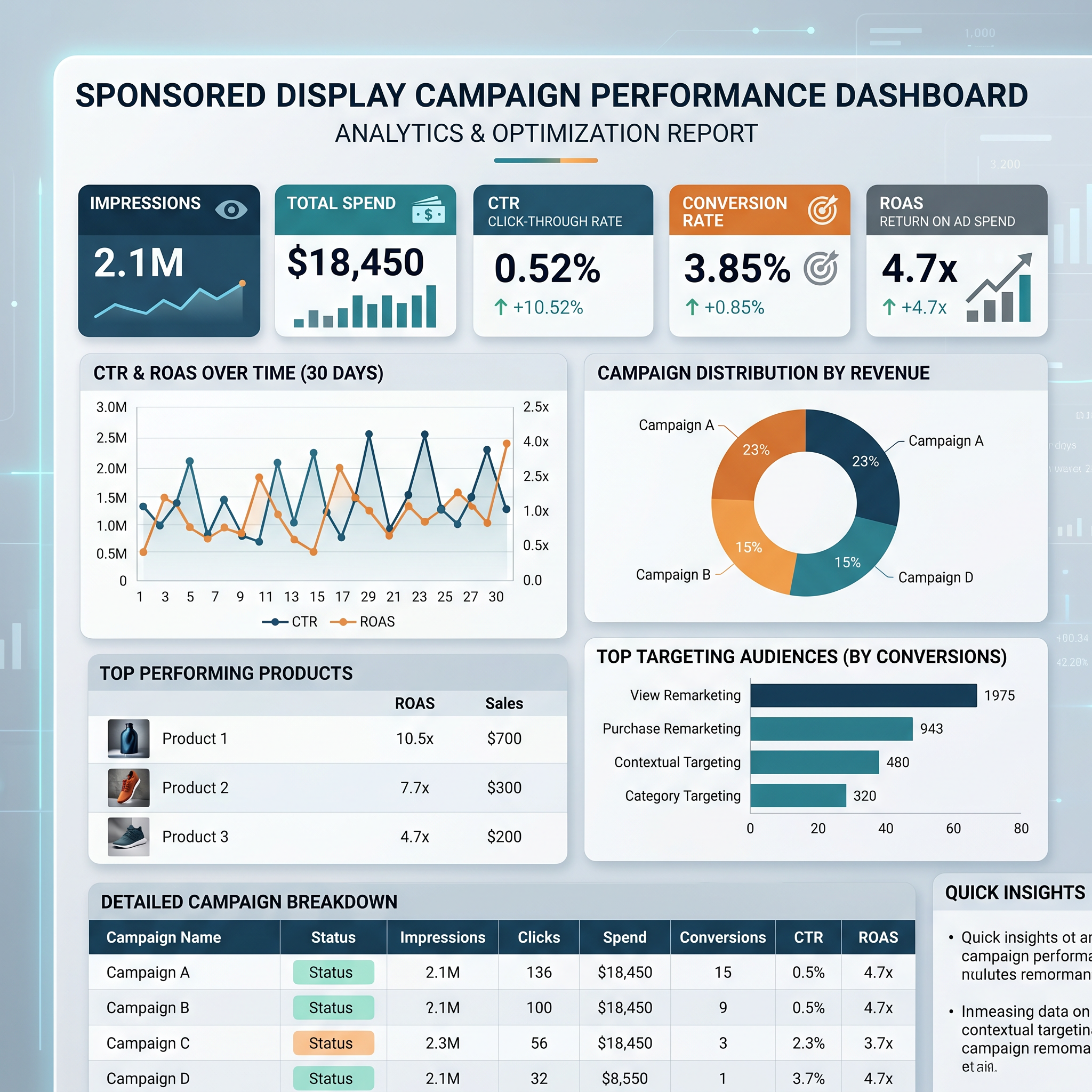
Amazon Sponsored Display Ads are a powerful advertising tool that allows sellers and brands to reach shoppers both on and off Amazon through display banners. Unlike Sponsored Products or Sponsored Brands, which appear in search results, Sponsored Display Ads appear on product pages, category pages, and even third-party websites via Amazon’s DSP (Demand-Side Platform). This expanded reach makes them ideal for retargeting—re-engaging users who have already shown interest in your product.
For Amazon sellers, especially those in competitive niches, retargeting is no longer optional—it’s essential. Consider this: according to Amazon, shoppers often visit multiple product pages before making a purchase decision. If you don’t stay top-of-mind, competitors will step in. Retargeting ensures your brand remains visible throughout the buyer’s journey, increasing the likelihood of conversion.
This guide is designed for new sellers, growth-focused brands, and marketing managers who want to master retargeting using Amazon Sponsored Display Ads. We’ll walk you through audience targeting strategies, campaign setup, optimization techniques, and real-world best practices to help you recover lost sales and maximize ROI.
How Sponsored Display Ads Work on Amazon
Sponsored Display Ads operate on a cost-per-click (CPC) model and use Amazon’s vast behavioral data to serve personalized ads. These ads can be targeted based on product views, purchases, and browsing behavior—both on Amazon and across the web through Amazon’s advertising network.
There are two primary targeting methods:
- Product Targeting: Show your ad on specific product pages or within certain categories.
- Audience Targeting: Reach shoppers based on their past behavior, such as viewing or purchasing similar products.
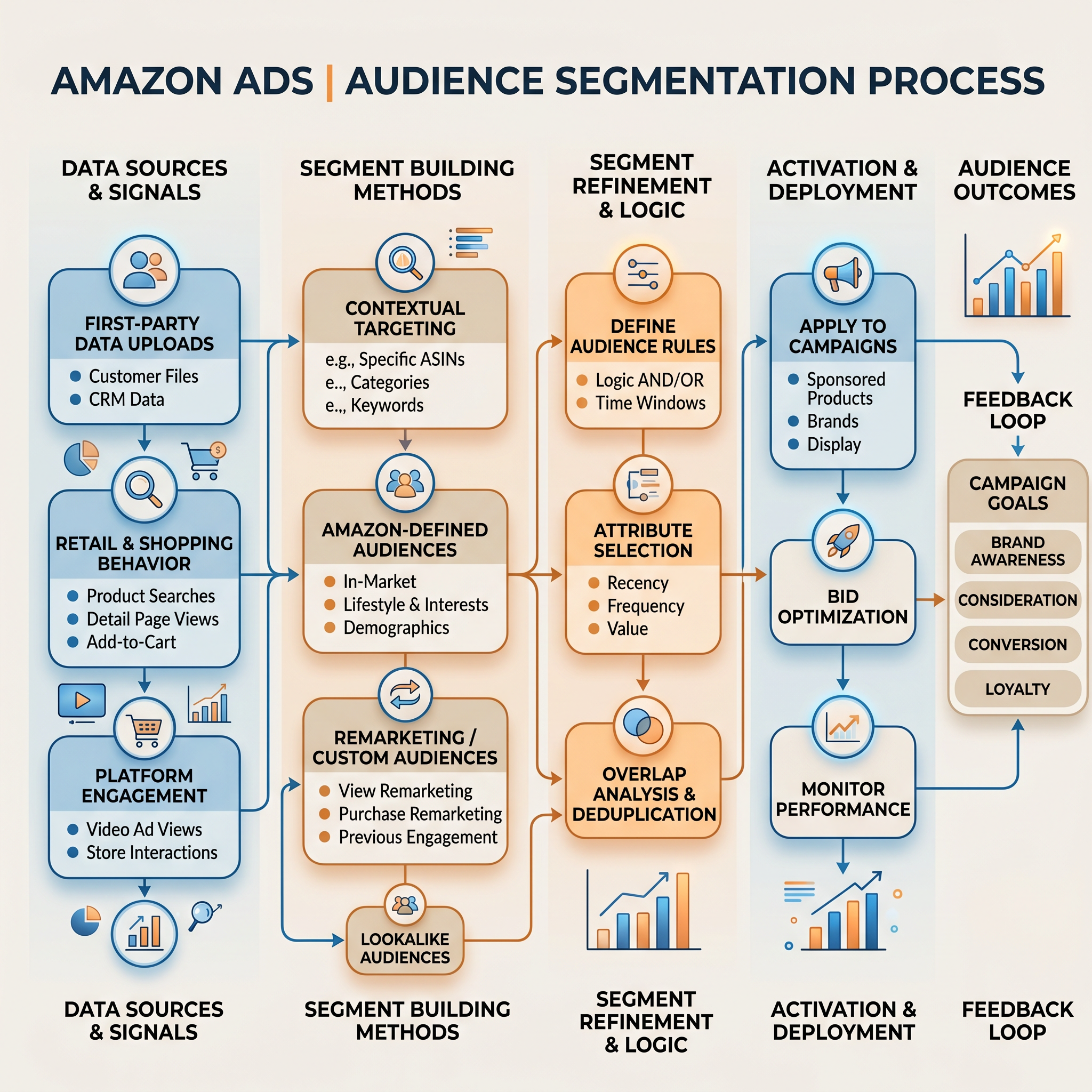
For retargeting, audience targeting is the most effective. Amazon allows you to create custom audiences based on:
- Shoppers who viewed your product but didn’t buy
- Shoppers who viewed similar products
- Shoppers who purchased from your brand or category
These audiences are automatically built by Amazon using anonymized user data, ensuring privacy compliance while delivering high-intent traffic. When a shopper who previously viewed your product sees your Sponsored Display ad on another product page or while browsing the web, they’re more likely to click and convert due to prior familiarity.
Additionally, Sponsored Display supports both automatic and manual targeting modes. Automatic targeting lets Amazon’s algorithm find relevant audiences, while manual targeting gives you full control over audience selection. For retargeting, manual targeting is recommended for precision and performance tracking.
Audience Targeting Options for Retargeting
One of the biggest advantages of Sponsored Display Ads is its advanced audience targeting capabilities. Let’s explore the most effective audience segments for retargeting and how to use them strategically.
1. Viewed But Didn’t Buy (VBNB)
This is the gold standard for retargeting. The “Viewed But Didn’t Buy” audience includes shoppers who clicked on your product detail page but left without purchasing. These users have already shown strong intent—they read your title, viewed images, checked reviews, and possibly compared prices.
By retargeting this group, you’re essentially giving them a second chance to convert. Use compelling ad copy that addresses potential objections (e.g., “Free Shipping Today,” “Limited Stock Available,” or “5-Star Rated by 2,000+ Customers”).
2. Similar Product Viewers
This audience includes shoppers who viewed products similar to yours but didn’t interact with your listing. For example, if you sell organic dog treats, you can target users who viewed other premium pet food brands.
This strategy works well for competitive differentiation. Your ad can highlight unique selling points like better ingredients, lower price, or faster shipping. It’s a form of competitive remarketing that positions your product as a superior alternative.
3. Past Purchasers (Upsell/Cross-sell)
While not traditional retargeting, targeting past buyers is a powerful retention strategy. Use Sponsored Display to promote complementary products (e.g., if someone bought a coffee maker, retarget them with filters or beans).
This approach increases customer lifetime value (CLV) and reduces churn. Amazon allows you to target customers who purchased from your brand within the last 30, 90, or 180 days.
4. In-Market Shoppers
Amazon identifies users who are actively shopping in specific categories. For example, someone browsing multiple laptop bags may be labeled as “in-market” for tech accessories.
Targeting in-market audiences increases the likelihood of conversion because these users are already in a buying mindset. Combine this with product-specific messaging to boost relevance.
Step-by-Step Guide to Launching a Retargeting Campaign
Now that you understand the audience options, let’s walk through how to set up a high-performing retargeting campaign using Sponsored Display Ads.
Step 1: Access Amazon Advertising Console
Log in to your Amazon Advertising Console. Navigate to “Campaigns” > “Create Campaign” > “Sponsored Display”.
Step 2: Choose Campaign Type
Select “Product” as your campaign type. This allows you to promote a specific ASIN. Choose your product and confirm the target marketplace (US).
Step 3: Set Bidding Strategy
Amazon offers three bidding options:
- Dynamic bids – down only: Reduces bids when conversion likelihood is low. Best for conservative budgets.
- Dynamic bids – up and down: Adjusts bids in real-time based on performance. Recommended for retargeting.
- Fixed bids: Manual control. Use only if you have strong historical data.
For retargeting, start with “Dynamic bids – up and down” to maximize conversions.
Step 4: Select Audience Targeting
Under “Targeting,” choose “Audiences.” Then select “Custom audiences” and pick one or more of the following:
- Viewed your product but didn’t buy
- Viewed similar products
- Purchased from your brand
You can create separate campaigns for each audience to track performance independently.
Step 5: Set Budget and Schedule
Start with a daily budget of $10–$20. Run the campaign continuously unless you’re promoting a time-sensitive offer. Monitor performance weekly and adjust as needed.
Step 6: Design Ad Creative
While Amazon auto-generates ads using your product image and title, you can enhance them by:
- Using high-quality, lifestyle-oriented images
- Ensuring your product title is benefit-driven (e.g., “Waterproof Wireless Earbuds – 24H Battery”)
- Highlighting promotions in your bullet points (e.g., “Buy 1, Get 1 Free”)
Remember: your ad creative is pulled directly from your listing. Optimize your product page first.
Step 7: Launch and Monitor
After launching, monitor key metrics like CTR (Click-Through Rate), CVR (Conversion Rate), and ACoS (Advertising Cost of Sale). Use SellerSprite’s PPC optimization tools to automate bid adjustments and detect underperforming segments.
Optimizing Your Sponsored Display Retargeting Campaigns
Launching a campaign is just the beginning. Continuous optimization is key to long-term success. Here are proven strategies to improve performance.
1. Use Frequency Capping
Amazon doesn’t offer built-in frequency capping, but you can manually limit ad exposure by reviewing impression share and adjusting budgets. If a campaign shows high impressions but low conversions, it may indicate ad fatigue. Rotate creatives or pause the campaign temporarily.
2. Segment by Audience and Analyze Performance
Don’t lump all audiences together. Create separate campaigns for “Viewed But Didn’t Buy” and “Similar Product Shoppers” to compare ROI. You’ll likely find that VBNB audiences convert at a much higher rate.
3. Adjust Bids Based on Conversion Data
After 2–4 weeks, analyze which audiences drive the most sales. Increase bids on high-performing segments and reduce or pause underperformers. Use SellerSprite’s automated bid optimization to streamline this process.
4. Refresh Creatives Regularly
Even the best ads lose effectiveness over time. Update your product images, titles, or bullet points every 4–6 weeks to keep your ads fresh. Test seasonal messaging (e.g., “Holiday Ready” or “Back to School Sale”).
5. Leverage Off-Amazon Retargeting
Sponsored Display extends beyond Amazon.com. Your ads can appear on third-party sites like IMDb, Twitch, and Amazon-owned properties. This off-Amazon reach is perfect for keeping your brand top-of-mind as shoppers research elsewhere.
To maximize off-Amazon performance, ensure your product has strong reviews and a compelling value proposition. Shoppers won’t click unless your listing stands out.
Common Mistakes and How to Avoid Them
Even experienced sellers make mistakes with Sponsored Display retargeting. Here are the most common pitfalls and how to avoid them.
1. Targeting Too Broadly
Avoid using automatic targeting for retargeting campaigns. It may include irrelevant audiences, wasting budget. Always use manual audience targeting for precision.
2. Ignoring Ad Fatigue
Running the same ad for months leads to diminishing returns. Monitor CTR trends—if it drops over time, refresh your creative or rotate ASINs.
3. Setting and Forgetting
Sponsored Display requires ongoing management. Check performance weekly, adjust bids, and pause non-converting segments. Use tools like SellerSprite to get alerts and recommendations.
4. Poor Product Page Optimization
Your ad can drive traffic, but if your listing has weak images, unclear bullets, or bad reviews, conversions will suffer. Always audit your product page before launching a retargeting campaign.
FAQ
How do I effectively retarget customers using Amazon Sponsored Display Ads?
To effectively retarget customers, use Amazon’s “Viewed but didn’t buy” audience segment in a manual Sponsored Display campaign. Set dynamic bids, allocate a daily budget, and ensure your product listing is optimized for conversion. Monitor performance weekly and adjust bids based on ROI.
What are the best audience segments to use for retargeting on Amazon Sponsored Display?
The best audience segments are: 1) Shoppers who viewed your product but didn’t buy, 2) Shoppers who viewed similar products, and 3) Past purchasers (for cross-selling). These groups have demonstrated intent and are more likely to convert.
Can I retarget shoppers who viewed my product but didn't purchase on Amazon?
Yes, Amazon Sponsored Display allows you to retarget shoppers who viewed your product detail page but didn’t make a purchase. This audience is highly valuable and typically converts at a higher rate than cold traffic.
Next Steps
- Sign up for SellerSprite to automate audience analysis and optimize your Sponsored Display campaigns.
- Review your top-performing ASINs and launch a retargeting campaign using the “Viewed but didn’t buy” audience.
- Explore our Amazon PPC Optimization Guide for advanced strategies.
References
- Amazon Advertising Help – Sponsored Display Audiences View
- SellerSprite Blog – Sponsored Products vs Sponsored Display View
- SellerSprite Blog – Sponsored Brand Ads Guide View
By SellerSprite Success Team
The SellerSprite Success Team is a group of Amazon advertising experts with over 10 years of combined experience in PPC optimization, audience targeting, and e-commerce growth. We help thousands of sellers improve ROAS, reduce ACoS, and scale profitably using data-driven strategies and AI-powered tools.