TL;DR: The Search Query Performance Dashboard is a powerful tool for Amazon sellers to analyze how customers find their products, track keyword effectiveness, and make data-driven decisions to improve visibility, conversion, and sales. This guide breaks down its components, interpretation methods, and actionable optimization strategies.
Key Takeaways
- The Search Query Performance Dashboard reveals which search terms drive traffic and conversions, enabling precise keyword optimization.
- Key metrics like impressions, clicks, CTR, conversion rate, and spend-to-sales ratio are critical for evaluating performance.
- Understanding Amazon’s A9 and A10 algorithms helps sellers align content and bidding strategies with search relevance and customer behavior.
- Data from the dashboard should inform product titles, backend keywords, PPC campaigns, and content refinement to boost organic and paid rankings.
- SellerSprite’s tools automate data aggregation and insight generation, helping both new and experienced sellers scale efficiently.
Table of Contents
- What Is the Search Query Performance Dashboard?
- Why Search Query Analytics Matter for Amazon Sellers
- Key Metrics in the Dashboard Explained
- How to Interpret Search Term, Report Data
- Optimizing Your Listings Based on Query Insights
- Leveraging Data for PPC Campaign Success
- Common Challenges and How to Overcome Them
- FAQ
- References
Note on marketplaces: This guide is specifically optimized for the US market.
What Is the Search Query Performance Dashboard?
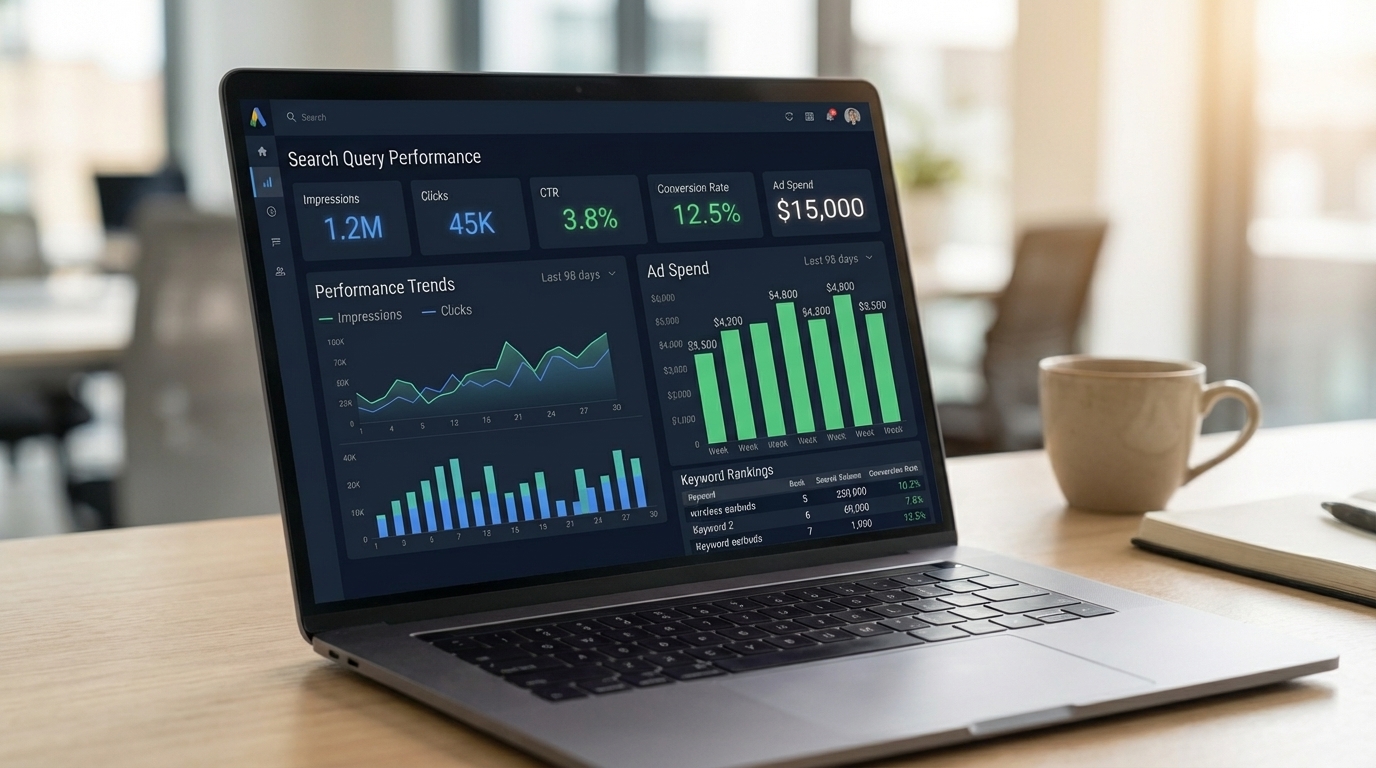
The Search Query Performance Dashboard is a comprehensive analytics interface that allows Amazon sellers to monitor how shoppers discover their products through specific search terms. It aggregates data from both organic and paid traffic sources, offering granular insights into which keywords generate impressions, clicks, conversions, and sales. For sellers operating in the competitive US Amazon marketplace, this dashboard is not just a reporting tool—it's a strategic asset for growth.
Unlike generic sales reports, the Search Query Performance Dashboard focuses on customer intent. It answers questions like: What are people typing when they find your product? Are those searches leading to purchases? Which terms are costing you money without delivering returns? By analyzing these patterns, sellers can refine their product listings, adjust advertising bids, and eliminate wasted ad spend.
Amazon provides some of this data natively through Brand Analytics (for brand-registered sellers) and Sponsored Ads reports. However, these interfaces often lack depth, real-time updates, or cross-campaign comparison features. That’s where third-party tools like SellerSprite come in—offering enhanced dashboards that consolidate data across multiple campaigns, timeframes, and ASINs for a holistic view.
Why Search Query Analytics Matter for Amazon Sellers
In the $700+ billion Amazon ecosystem, visibility is everything. If your product doesn’t appear when a shopper types a relevant query, it might as well not exist. Search query analytics bridges the gap between what customers are looking for and how well your product matches that demand.
For new sellers, understanding which terms drive traffic helps validate product-market fit early. Instead of guessing what keywords to target, you can use real behavioral data to shape your listing strategy. For growing and established brands, these insights fuel scalable optimization—allowing teams to identify high-performing terms, expand into new niches, and defend top-ranking positions.
Consider this scenario: You sell ergonomic office chairs. Your main keyword is “ergonomic chair,” but the Search Query Performance Dashboard reveals that “lumbar support desk chair” generates a 15% higher conversion rate—even though it has fewer impressions. This insight tells you that while “ergonomic chair” brings volume, the more specific term attracts buyers who are further along in the purchase journey. You can then:
- Add “lumbar support desk chair” to your backend search terms
- Include it in bullet points and product descriptions
- Create a Sponsored Products campaign targeting that exact phrase
This kind of data-driven decision-making separates successful Amazon sellers from those who rely on guesswork. According to industry benchmarks, sellers who actively analyze and act on search query data see up to 30% improvement in ACOS (Advertising Cost of Sale) within three months.
Key Metrics in the Dashboard Explained
To extract maximum value from your Search Query Performance Dashboard, you must understand the core metrics and how they interrelate. Here’s a breakdown of the most important KPIs:
1. Impressions
Impressions indicate how many times your product appeared in search results for a given keyword. Deep impressions suggest strong keyword relevance or aggressive bidding. However, high impressions with low clicks signal a mismatch between search intent and your listing’s appeal (e.g., poor title, image, or price).
2. Clicks
Clicks measure how often shoppers clicked on your listing after seeing it. This reflects the effectiveness of your product’s “first impression”—title, image, price, and star rating. A low click-through rate (CTR) despite high impressions means your listing isn’t compelling enough to stand out.
3. Click-Through Rate (CTR)
CTR = (Clicks ÷ Impressions) × 100. A healthy CTR on Amazon typically ranges from 0.4% to 0.8% for broad match terms and can exceed 1% for exact match. If your CTR is below 0.3%, consider optimizing your title, enhancing images, or adjusting pricing.
4. Conversion Rate (CVR)
CVR = (Orders ÷ Clicks) × 100. This shows how effectively your listing converts visitors into buyers. A high CVR indicates strong product-market fit, persuasive content, and competitive pricing. Low conversion despite high clicks may point to issues like inaccurate descriptions, poor reviews, or shipping delays.
5. Spend and Sales
These metrics track advertising investment versus revenue generated. The key is not just total sales, but profitability. A keyword might generate $500 in sales, but if it costs $400 in ad spend, it’s not sustainable. Focus on keywords with a favorable ROAS (Return on Ad Spend)—ideally 3:1 or higher.
6. Cost Per Click (CPC)
CPC reflects how much you pay each time someone clicks your ad. High CPCs on low-converting keywords drain budgets. Use the dashboard to identify overpriced terms and adjust bids or switch to phrase/exact match targeting.
7. Top of Search Percentage
This metric shows how often your ad appears in the top positions (above or alongside organic results). Higher visibility correlates strongly with increased clicks and conversions. Aim for at least 60% top-of-search placement for high-intent keywords.
How to Interpret Search Term, Report Data
Amazon’s Search Term Report (accessible via Seller Central under Advertising > Reports) is the foundation of any performance dashboard. But raw data alone isn’t useful—you need to interpret it strategically. Let’s walk through a real-world example.
Sample Search Term Report Fields:
- Customer Search Term: The actual phrase typed by the shopper
- Impressions: How many times your ad showed for that term
- Clicks: Number of times clicked
- Spend: Total ad cost for clicks from that term
- Sales: Revenue generated from orders attributed to the term
- Orders: Number of units sold
- ACOS: Advertising Cost of Sale = (Spend ÷ Sales) × 100
Now, let’s analyze a hypothetical dataset:
| Search Term | Impressions | Clicks | Spend ($) | Sales ($) | ACOS |
|---|---|---|---|---|---|
| wireless earbuds | 10,000 | 300 | 90 | 1,200 | 7.5% |
| Bluetooth headphones noise-cancelling | 2,500 | 120 | 60 | 900 | 6.7% |
| cheap wireless earbuds | 8,000 | 100 | 50 | 200 | 25% |
Interpretation:
- “Wireless earbuds” have high volume and solid performance (7.5% ACOS). This is a core keyword—maintain or increase bids.
- “Bluetooth headphones noise cancelling” has lower impressions but excellent efficiency (6.7% ACOS). Consider adding this phrase to product bullets and launching an exact-match campaign.
- “Cheap wireless earbuds” brings traffic but converts poorly (25% ACOS). This term attracts price-sensitive shoppers who may not value your premium product. Add it as a negative keyword to avoid wasted spend.
This process—analyzing, categorizing, and acting on search term data—is the backbone of effective Amazon SEO and PPC management. For more on extracting hidden keywords from customer behavior, see our guide on Search Term Mining: Turning Clicks into Keywords.
Optimizing Your Listings Based on Query Insights
Your Amazon listing is your digital storefront. Every element—from the title to backend keywords—should be informed by search query performance data. Here’s how to turn insights into action:
1. Refine Product Titles
Include high-converting, high-volume keywords near the beginning of your title. For example, if “noise-cancelling wireless earbuds” perform well, structure your title as:
Noise Cancelling Wireless Earbuds, 30H Playtime Bluetooth Headphones with Charging Case, IPX7 Waterproof – Ideal for Workouts & Travel
Avoid keyword stuffing, but ensure primary terms are present and readable.
2. Enhance Bullet Points
Use customer-facing language that mirrors search queries. If users search for “long battery life earbuds,” highlight that benefit upfront. For advanced techniques, read Backend Search Terms and Bullet Points That Rank and Convert.
3. Optimize Backend Search Terms
Amazon allows 250 bytes of hidden keywords. Use this space for synonyms, misspellings, and long-tail variations that don’t fit in visible content. Example:
- “wireless earphones.”
- “Bluetooth earbuds for iPhone.”
- “sweatproof gym earbuds.”
4. Improve Product Descriptions and A+ Content
Incorporate high-performing keywords naturally into extended descriptions and A+ modules. Use comparison charts, lifestyle images, and feature highlights to reinforce relevance.
5. Update Images and Videos
If a keyword like “earbuds with mic for calls” drives conversions, ensure your main image shows the product in use during a call. Add a video demonstrating call clarity.
Leveraging Data for PPC Campaign Success
Your Search Query Performance Dashboard isn’t just for organic optimization—it’s the engine of a winning Amazon PPC strategy. Here’s how to use it:
1. Identify High-Value Keywords for Targeting
Look for terms with:
- High conversion rate (>10%)
- Low ACOS (<15%)
- Consistent sales volume
Move these into exact or phrase match campaigns with aggressive bids.
2. Expand Your Keyword Portfolio
Use the “Other” search terms in your report to discover new opportunities. For example, if “wireless earbuds for small ears” appears frequently, create a new campaign targeting that niche.
3. Add Negative Keywords
Filter out irrelevant or low-performing terms. In the earlier example, “cheap wireless earbuds” should be added as a negative keyword to prevent ad spend leakage.
4. Adjust Bids Dynamically
Increase bids on top performers and reduce or pause underperformers. Use automated rules or tools like SellerSprite to streamline bid management.
5. Structure Campaigns by Intent
Create separate campaigns for:
- Top-of-funnel (broad match, informational queries)
- Middle-of-funnel (comparative terms, “best X for Y”)
- Bottom-of-funnel (branded, high-intent, “buy now” terms)
This structure improves relevance, lowers ACOS, and increases overall campaign efficiency.
Common Challenges and How to Overcome Them
Even with access to rich data, many sellers struggle to act effectively. Here are common pitfalls and solutions:
1. Data Overload
Amazon reports can contain thousands of search terms. Solution: Use filters to focus on high-spend, high-ACOS, or high-conversion terms. Prioritize action on the top 20% of keywords driving 80% of results.
2. Delayed Reporting
Amazon’s native reports have a 2–3 day lag. Solution: Use real-time analytics platforms like SellerSprite to monitor performance daily and react quickly.
3. Misinterpreting Correlation vs. Causation
Just because a keyword has high sales doesn’t mean it caused them. Solution: Cross-reference with organic performance and consider external factors like promotions or inventory changes.
4. Ignoring Long-Tail Opportunities
Sellers often focus on high-volume terms and miss niche, high-converting queries. Solution: Regularly mine the “Other” section of search term reports for emerging trends and underserved needs.
For a comprehensive approach to Amazon PPC, refer to our Amazon PPC Optimization Strategies, Tools, and Setup Guide.
FAQ
How can I improve my Amazon search query performance?
To improve search query performance, start by analyzing your Search Query Performance Dashboard to identify high-impression, low-click terms—these need better titles or images. For high-click, low-conversion terms, optimize your product page with clearer benefits, enhanced images, and competitive pricing. Add high-converting keywords to your listing content and backend fields. Use negative keywords to block irrelevant traffic. Finally, adjust your PPC bids based on performance data to maximize ROI.
What metrics should I track in a search query performance dashboard?
Key metrics include impressions, clicks, CTR (Click-Through Rate), conversion rate (CVR), ad spend, sales, ACOS (Advertising Cost of Sale), ROAS (Return on Ad Spend), and top-of-search percentage. Tracking these helps you assess visibility, engagement, conversion efficiency, and profitability. Focus on trends over time and segment data by match type, campaign, or product for deeper insights.
How does the Amazon algorithm affect my product's visibility in search results?
Amazon’s A9 and A10 algorithms prioritize relevance, customer satisfaction, and conversion likelihood. They analyze keywords in your title, bullets, and backend fields to match search queries. Performance metrics like sales velocity, CTR, and conversion rate signal popularity and quality. Products with strong historical performance and optimized content rank higher. Ensuring keyword alignment and maintaining excellent customer experience (reviews, fulfillment speed) boosts visibility.
Next Steps
- Log into your Amazon Seller Central and download your latest Search Term Report.
- Sign up for SellerSprite to access advanced search query analytics and automated optimization tools.
- Review your top 10 underperforming keywords and apply the optimization strategies outlined in this guide.
References
- Amazon Advertising Reports Guide View
- SellerSprite AI-Powered Analytics Platform View
- Amazon A10 Algorithm Overview (2023) View
By SellerSprite Success Team
The SellerSprite Success Team combines decades of Amazon marketplace expertise with cutting-edge AI analytics. We help new and growing sellers unlock profitability through data-driven optimization, PPC automation, and actionable insights. Our content is grounded in real-world testing, client results, and continuous research into Amazon’s evolving algorithms.